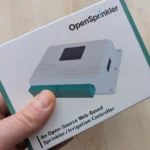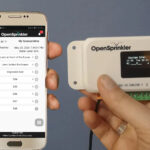
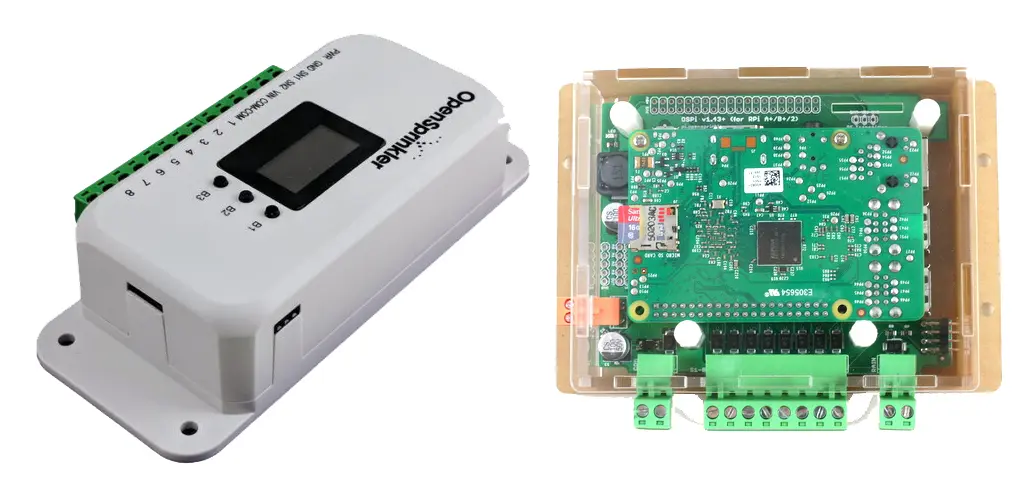
OpenSprinkler is a web-based, open-source irrigation controller. Both the software code and the hardware schematics are freely available to everyone and can be used for personal projects and further development. This article explains the advantages of this open-source nature, the different versions of the controller currently available, and which version is best suited for different users.
To understand exactly what OpenSprinkler is, it’s helpful to take a brief look at the product’s history:
OpenSprinkler History
Unlike other irrigation controllers on the market, OpenSprinkler wasn’t developed by a professional irrigation or electronics company. Instead, it resulted from a private initiative by Ray Wang, an IT professor at the University of Massachusetts Amherst.
In 2010, he installed an irrigation system in his own garden and began searching for a suitable controller. The products available on the market reminded him of the long-gone 1980s in terms of functionality and design, offering very limited features and no web connectivity. So Wang took matters into his own hands and, within a few weeks, built his own irrigation controller with web connectivity and more functionality, presenting this prototype on his personal blog. The prototype and the idea behind it were very well received and marked the beginning of OpenSprinkler.
Ray founded a company with commercial intentions to handle the production, marketing, and distribution of the product. At the same time, he committed himself to the open-source philosophy, making the source code of the software and the computer’s blueprints publicly available. This allows third parties to fully understand how the product works and, consequently, to improve it independently. Anyone with ambitions in this direction can therefore build directly upon the current state of development and doesn’t have to start from scratch.
The first OpenSprinkler 1.0 was released in 2011. Initially, it was a do-it-yourself kit that allowed users to assemble the finished sprinkler themselves within a few hours. The irrigation controller was structurally limited to the essentials. It consisted of the actual computer, a simple ATmega328 microcontroller, an Ethernet controller for connecting to a LAN network, an 8-channel relay for switching up to eight 24V solenoid valves, and a simple cover to protect the components.

Do-it-yourself kit for OpenSprinkler 1.1
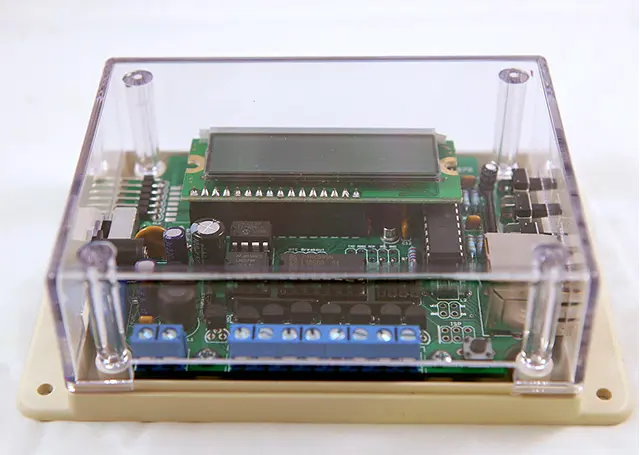
And this is what the fully assembled irrigation computer looked like.
Visually, it didn’t have much in common with irrigation controllers from other manufacturers, but it offered significant advantages: First, programming and operation were possible via a web interface, making it convenient to use a PC or laptop’s web browser, unlike other manufacturers’ controllers, which only allowed direct access. Second, with some effort and existing programming knowledge, the irrigation programming could be tailored to individual needs (the software is maintained on the Arduino platform, using the C/C++ programming language), and the web connection allowed for the integration of external data, such as weather information, for irrigation.
The observation that some users were using OpenSprinkler in combination with a Raspberry Pi computer led to the additional development of OpenSprinkler Pi in 2013. This is not a complete irrigation controller, but rather a sprinkler expansion board for Raspberry Pi users. It can be connected to the computer, thus adding sprinkler functionality.
In 2013, a dedicated OpenSprinkler app was developed, allowing for convenient operation of the software via mobile phone.
In 2016, the product range was expanded to include OpenSprinkler Bee, a small irrigation controller for battery-operated 9V solenoid valves that can control up to three valves.
Over the years, the software has been continuously developed, and new hardware versions have been released. A description of the currently available products, including an assessment of who I believe they are suitable for, can be found below:
OpenSprinkler Irrigation Controller
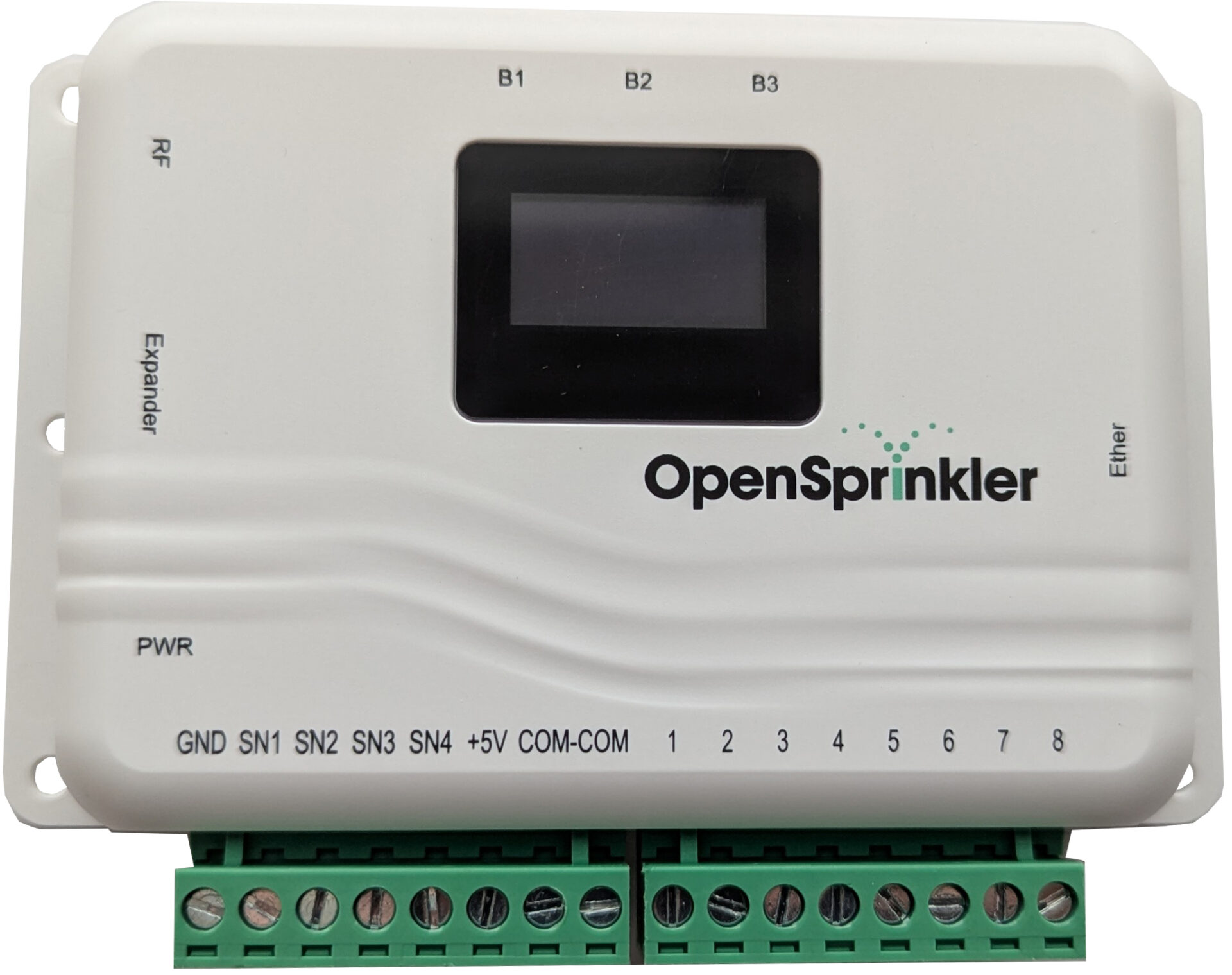
The OpenSprinkler irrigation controller is currently available in version 3.4. It is now a fully assembled irrigation controller; no further assembly is required. The controller is ready to use immediately and is no different from irrigation controllers from other manufacturers in this respect.
The controller can be ordered in three different power supply options:
- Powered by a 24V AC adapter
- Powered by a 7.5V DC adapter
- Powered by a 7.5V DC adapter for self-holding “latch” valves (7.5V DC Latch), only available in version 3.3
If you are using self-holding DC latch solenoid valves (these are the typical 9V solenoid valves for battery-operated irrigation controllers and are usually marked with “Latch”), then the third option is mandatory, as only this option can control such latch valves. If not, then the second option, 7.5V DC, is usually preferable, as it can switch both standard 24V AC solenoid valves and non-holding DC solenoid valves. The first option should be used if you intend to use the computer to control a pump start relay, as the second option is not compatible with all pump start relays available on the market.
In addition, an optional module for an Ethernet LAN output can be ordered alongside the Wi-Fi connection.
Below is an overview of the OpenSprinkler performance data.
| OpenSprinkler 3.4 | |
|---|---|
|
|
| Model variants | 2 variants: 24V AC (for 24V AC valves), 7.5V DC (for 24V AC valves and 7.5V to 12V DC valves), only available for OpenSprinkler 3.3: 7.5V DC Latch (for 7.5V to 12V DC Latch valves) |
| Number of controllable solenoid valves | 8 (expandable by 16 additional zones with an additional module, a maximum of 4 additional modules can be connected, the maximum possible number of zones is therefore 72) |
| Can it be used with 24-volt or 9-volt solenoid valves? | Depending on the model variant |
| Programming options | Up to 40 programs can be configured to control the defined zones; each program can have up to 4 start times per day. A special feature of OpenSprinkler is the ability to start multiple zones simultaneously. |
| Irrigation duration | 1 second to 1,080 minutes |
| Global increase/reduction of irrigation duration | 1 to 250% |
| Connectable sensors | Four sensor ports are available, allowing the connection of a rain sensor, soil moisture sensor, flow sensor, programmable switch, or any other sensor operating on a normally open or normally closed principle. The specific sensor and its operating characteristics are defined in the software. |
| Connection for master valve/pump start circuit? | There is no dedicated connection, but one of the eight existing zone connections in the software can be defined as the connection for the master valve. Similarly, a second connection can also be defined as master valve 2. |
| Is direct control via computer possible? | Only to a very limited extent (the small display and the 3 selection buttons only show some basic information such as the time, zone status and rain status, and you can start programs manually) |
| Power/Battery | Power connection via externally mounted 24 Volt AC or 7.5 Volt DC transformer (depending on model) |
| Indoor/Outdoor | Indoor use (for weatherproof outdoor use, a separate IP-65 enclosure can be purchased) |
| WiFi? | Yes (optional additional LAN connection via add-on module also possible) |
| The app runs on | Apple iOS devices, Google Android devices |
| Access via web browser possible? | Yes |
| Use of local weather data? | Yes |
| Price | $140 or $183 with an additional LAN port |
Who would benefit from an OpenSprinkler irrigation controller?
Unlike in 2011, when the first OpenSprinkler was launched, there are now numerous smart irrigation controllers on the market that can be controlled via the web.
In my opinion, the most sophisticated systems currently available are Hunter Hydrawise and LinkTap. Orbit’s B-hyve also offers a quite powerful solution with a very good price-performance ratio. All three systems are characterized by their ability to provide highly customized, weather-data-based automated irrigation. If you are primarily looking for an irrigation controller that can be remotely controlled from anywhere in the world via an app, but without sophisticated weather-dependent control options, then the RainPoint computers, the Rain Bird Smart Watering System, or the Smart System from the German manufacturer Gardena are further alternatives.
Therefore, OpenSprinkler can no longer rely on web control as a key selling point. However, it does differ from other providers in several aspects that may make it interesting for some users:
A significant potential drawback is that OpenSprinkler is not accessible from anywhere in the world via the web by default! Access is normally only possible via your home Wi-Fi network, or alternatively, you can access the computer directly without Wi-Fi. However, you must be within range of the OpenSprinkler to do this. To access OpenSprinkler from elsewhere via the app or browser, you need to set up a VPN (virtual private network) beforehand. This can be a bit of a hurdle for those unfamiliar with IT.
Update: OpenSprinkler recently introduced a free cloud solution that allows you to access your computer anytime, anywhere.
A second minor drawback is the weather-based irrigation: While three different modes can currently be selected (evapotranspiration, Zimmermann, and automatic rain delay), a configuration as detailed as that offered by the Hunter Hydrawise system is not yet possible. However, the Opensprinkler performs very well in this regard, even surpassing the Rain Bird Smart Watering System and the Gardena Smart System.
Conclusion:
The Opensprinkler is a very ambitious product with an appealing philosophy behind it and offers an alternative if you can’t find a suitable smart irrigation controller from other providers, for example, because you have more specific requirements or because it’s important to you to be able to tailor the product very precisely to your needs. A third target group consists of people who are very sensitive about the handling of their data and reject registration and data transmission via a third-party server. And last but not least, there’s the group of passionate tinkerers who enjoy working together on a product in an active community. If you don’t fall into any of these groups and simply want to buy a ready-made, functional product, then you’re better off with conventional irrigation controller providers.
Further Information
The OpenSprinkler website offers the option to log into the web interface of a demo OpenSprinkler and thus try out in detail the software’s capabilities:
Link: demo.opensprinkler.com (Password: opendoor)
OpenSprinkler Pi
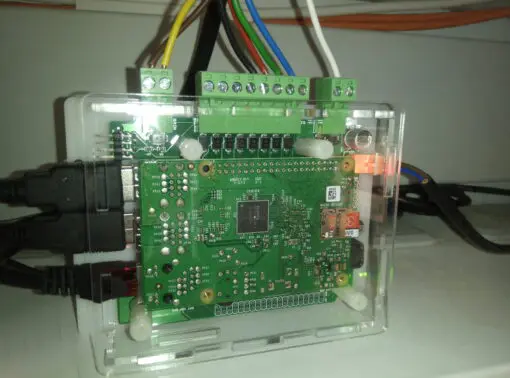
The second popular OpenSprinkler product is the OpenSprinkler Pi. Unlike the previously introduced OpenSprinkler, this is not a complete, ready-to-use irrigation controller, but rather an irrigation expansion board for a Raspberry Pi computer. The board is connected to the Raspberry Pi via its GPIO pins (40 metal pins serving as universal interfaces). This adds zone inputs to the computer for controlling solenoid valves. These valves can then be controlled directly via the Raspberry Pi. Therefore, an OpenSprinkler Pi board only functions as an irrigation controller when used with a Raspberry Pi computer.
A Raspberry Pi computer is a small, credit card-sized, basic, yet relatively powerful computer that is very affordable, costing around $40 to $50. It contains all the essential components of a computer and a few interfaces for connecting peripherals, but it lacks a case, hard drive, and screen. The necessary software is instead installed via an SD/MMC card slot. Raspberry Pi computers have a large following and have sold over 45 million units worldwide. The target audience is primarily hobbyists and tinkerers.
The software for the OpenSprinkler Pi is the same as for OpenSprinkler.
Who would benefit from an OpenSprinkler Pi expansion card?
Primarily, it’s ideal for Raspberry Pi owners and those planning to become one. This is especially true if other home automation components are already running on the Raspberry Pi. This allows for centralized control of everything from a single computer. If you’re starting from scratch and have no prior experience with Raspberry Pi computers, then a pre-built OpenSprinkler is definitely the better choice. Unless, of course, you want to take the opportunity to enter the Raspberry Pi world with OpenSprinkler Pi.
The big difference to OpenSprinkler: With OpenSprinkler, you can, if you wish, do some tinkering or programming yourself, or simply use the ready-made irrigation computer; with OpenSprinkler Pi, a certain amount of tinkering and IT-related input is definitely necessary to arrive at a usable solution.
OpenSprinkler Bee
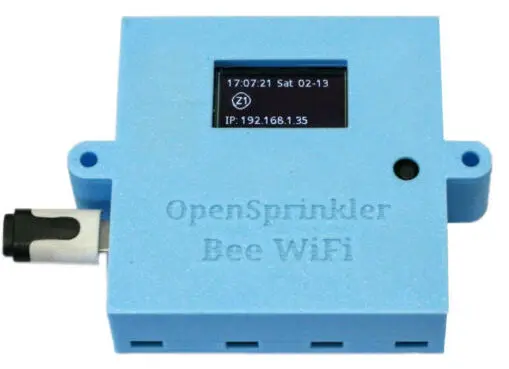
The third product offered is the OpenSprinkler Bee, a small irrigation controller with three zone outputs for 9V DC latch solenoid valves. This is the typical 9-volt solenoid valve that is usually controlled by battery-powered irrigation controllers without a power connection. The first generation of the Bee was battery-operated (two AA batteries), but the current version has a USB input for power.
The rationale behind this change is difficult for me to understand, as it defeats the original purpose of the Bee: to control solenoid valves when there is no mains power available at the irrigation controller’s location. A USB cable also requires a device with a power connection, and I’m currently unaware of any way to connect a USB cable directly to a battery. Powering it with a power bank is also technically impossible, as power banks are designed for charging batteries and cannot be used directly as a power source. The OpenSprinkler Bee is now simply a cheaper, stripped-down version of the OpenSprinkler for latch solenoid valves, but no longer an alternative for use in locations without a power outlet.
Addendum: A third party suggested that combining it with a mini solar power system might be a solution.
Where to buy
OpenSprinkler irrigation controllers are not available at hardware stores and currently not on Amazon or eBay. They can be purchased directly from the manufacturer’s shop opensprinkler.com in the USA or from national OpenSprinkler retailers.
The OpenSprinkler computer currently costs between $140 and $183, depending on the model, the OpenSprinkler Pi card costs $70 without and $88 with power adapter, and the smaller OpenSprinkler Bee computer costs $62 without and $72 with USB wall adapter.
For detailed information, or if you’re looking for a solution to a specific problem or want to benefit from software extensions already implemented by other users, it’s worth taking a look at the extensive English-language OpenSprinkler forum.
Available from: OpenSprinkler Shop
Note: Readers of this blog are offered a 10% discount by the OpenSprinkler Shop when purchasing an OpenSprinkler or OpenSprinkler Pi. Use the coupon code OS-9A732A when ordering!
© All Images used: OpenSprinkler.com, except OpenSprinkler 3.4 (own image)