
Several years ago, I reviewed the predecessor to the LinkTap G2S, the LinkTap G2, on my blog, and it performed quite well in my test. Now it was high time to take a closer look at the current LinkTap model. In this post, I’ll examine the LinkTap’s functionalities, how it has improved compared to its predecessor, and how it compares to competing irrigation controllers.
Like all LinkTap irrigation controllers, the LinkTap G2S requires an additional gateway to operate. And, unlike Wi-Fi, it uses the more reliable Zigbee protocol for wireless communication between the gateway and the irrigation controller.
The G2S’s Place in the LinkTap Product Range
The LinkTap G2S, along with the G1S, is the smallest LinkTap irrigation controller, both have one output. What distinguishes the G2S from the G1S? The G2S is essentially a G1S with the addition of a water flow sensor and a tilt sensor. These two sensors allow you to monitor the proper functioning of your irrigation system: The tilt sensor detects and automatically alerts you if the controller falls from its designated position during operation. The even more important water flow sensor triggers an alarm if water flow is detected when no irrigation is running or if other unusual behavior is observed.
With a current price difference of only about $25, I would definitely recommend the G2S due to the numerous functionalities of the water flow sensor (more on this later in the article)!
What other alternatives does LinkTap offer to the G2S, and how do they differ? The other LinkTap models essentially have the same functionality and all use the same app; the main difference lies in the number of outputs.
The LinkTap D1 and the LinkTap T1 both have two outputs. The T1 is designed for harsher weather conditions (wetlands, coastal areas, or flood-prone areas) compared to the D1. The control unit and valve unit are divided into two separate devices. The batteries and most of the electronics are housed in the Valve Linker, which has two outlets and can be mounted separately from the valve unit in a more moisture-protected location. Both controllers are priced similarly.
The LinkTap Q1 is the largest LinkTap model with four outlets.
The G1S, G2S, D1, T1, and Q1 are irrigation controllers through which the water flows directly. LinkTap also offers the ValveLinker, a second type of irrigation controller that does not come into direct contact with water but serves as a control center for external solenoid valves. It is available in three models for controlling one, two, or four solenoid valves.
Tabular comparison of LinkTap models:


Product Scope
The LinkTap G2S comes in a compact box. Since I already own the gateway from previous tests, I ordered a set without it. If you don’t already have a LinkTap device, you’ll need to opt for a set with the gateway! This costs approximately $30 more.
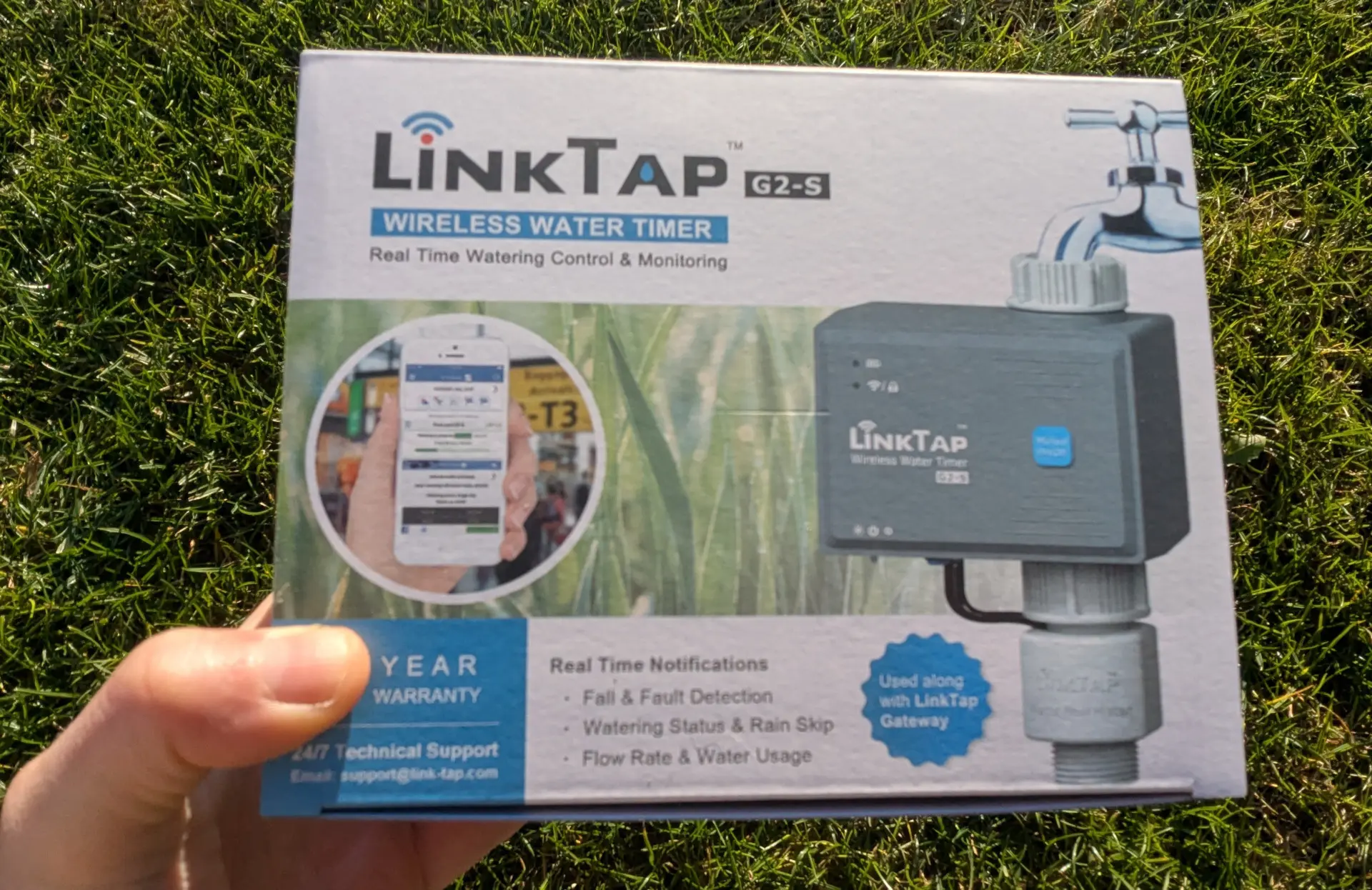
The LinkTap G2S in its original packaging
The LinkTap G2S package includes the irrigation controller, the water flow sensor, a warranty card, a quick start guide, a 1/2-inch tap connector, a spare sealing ring, and a screwdriver for opening the battery compartment.
Also included is a threaded adapter that allows you to optionally reduce the irrigation controller’s inlet to 1/2 inch. A second adapter, which reduces the inlet from 1 inch to 3/4 inch, is already pre-installed. This allows you to screw the controller onto a 1-inch, 3/4-inch, or 1/2-inch threaded connection.
Batteries are not included. My package without the gateway includes a quick start guide; LinkTap assumes that existing users don’t need another full manual, which certainly makes sense from an environmental perspective. The complete G2S kit, including the gateway, in contrast includes a full user manual. All necessary installation steps and information about functionalities can also be found after downloading the LinkTap app, on the LinkTap website, or here on the blog.
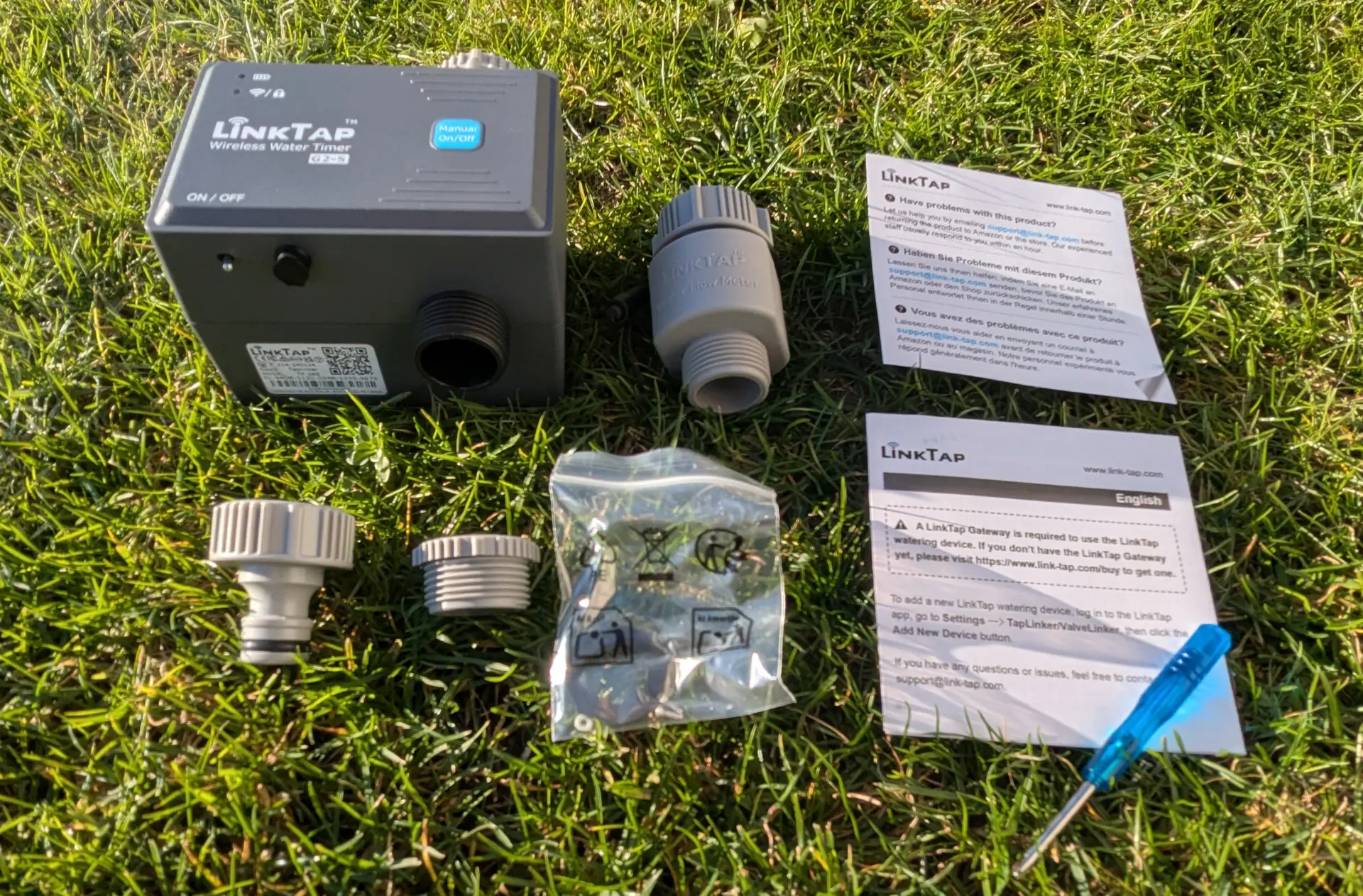
Included in the package
Setup
As with virtually all smart irrigation controllers these days, initial setup is straightforward and takes approximately 10 to 15 minutes. To begin, download the LinkTap app for Android phones via Google Play and for Apple phones via the App Store.
-
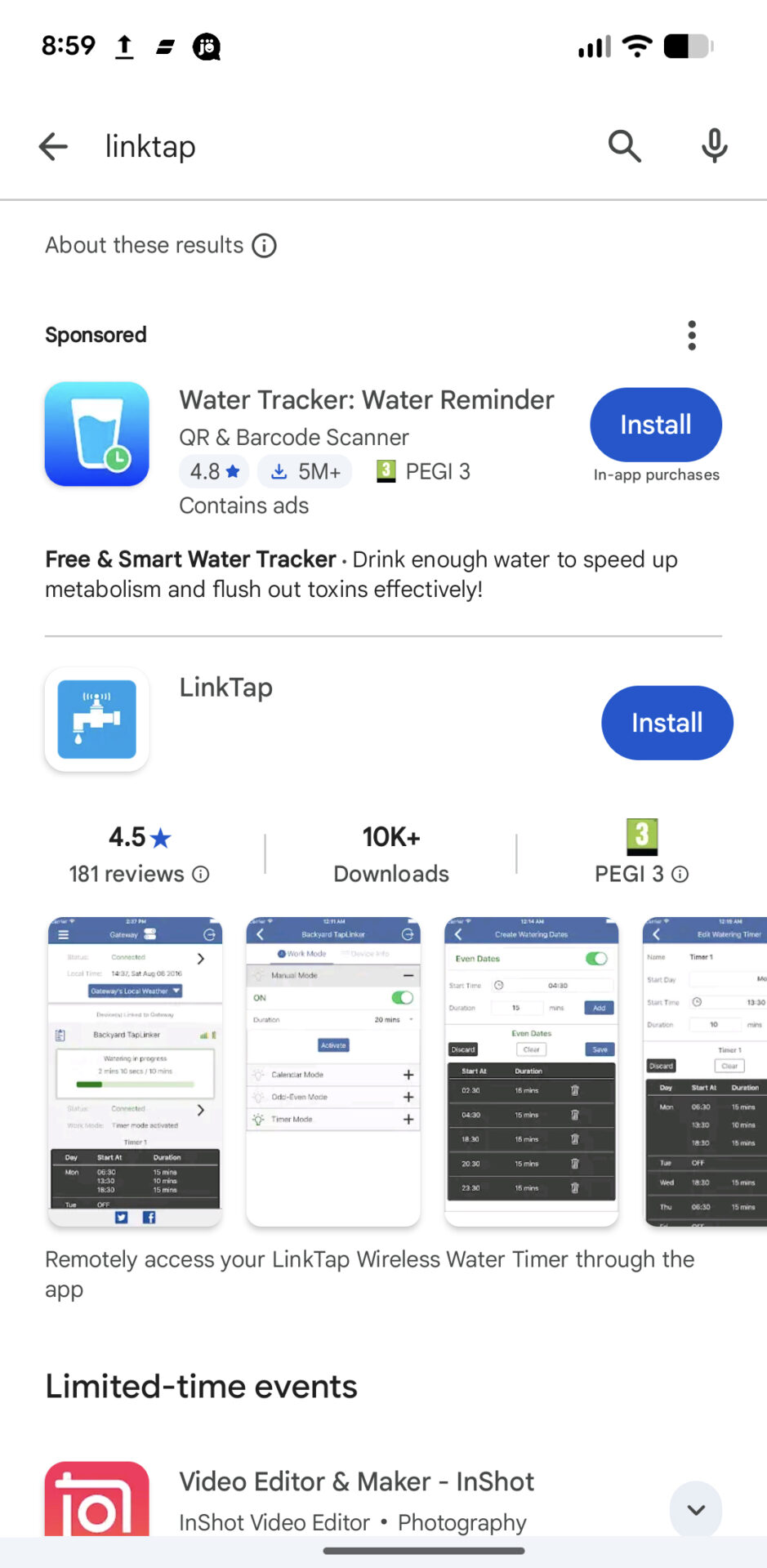
- Download the LinkTap app
The app provides step-by-step instructions for setup. First, install the gateway, followed by the irrigation controller. For installation and ongoing operation, the gateway must be connected to your internet router via an Ethernet cable. If your router doesn’t have a LAN port or if it’s already in use by another device, you can use a Wi-Fi repeater with a built-in Ethernet port (Amazon link), as shown in the following image. These can be purchased for around $15.
Update: LinkTap has announced that future models will offer both connectivity options: Ethernet and Wi-Fi (2.4 GHz and 5 GHz). This is expected to be available for models from around 2026 onwards.
To add the gateway to the app, simply connect it to power and your LAN. Then, scan the number printed on the back of the gateway with your phone’s camera or enter it manually. The gateway will then be detected and ready to use.
-
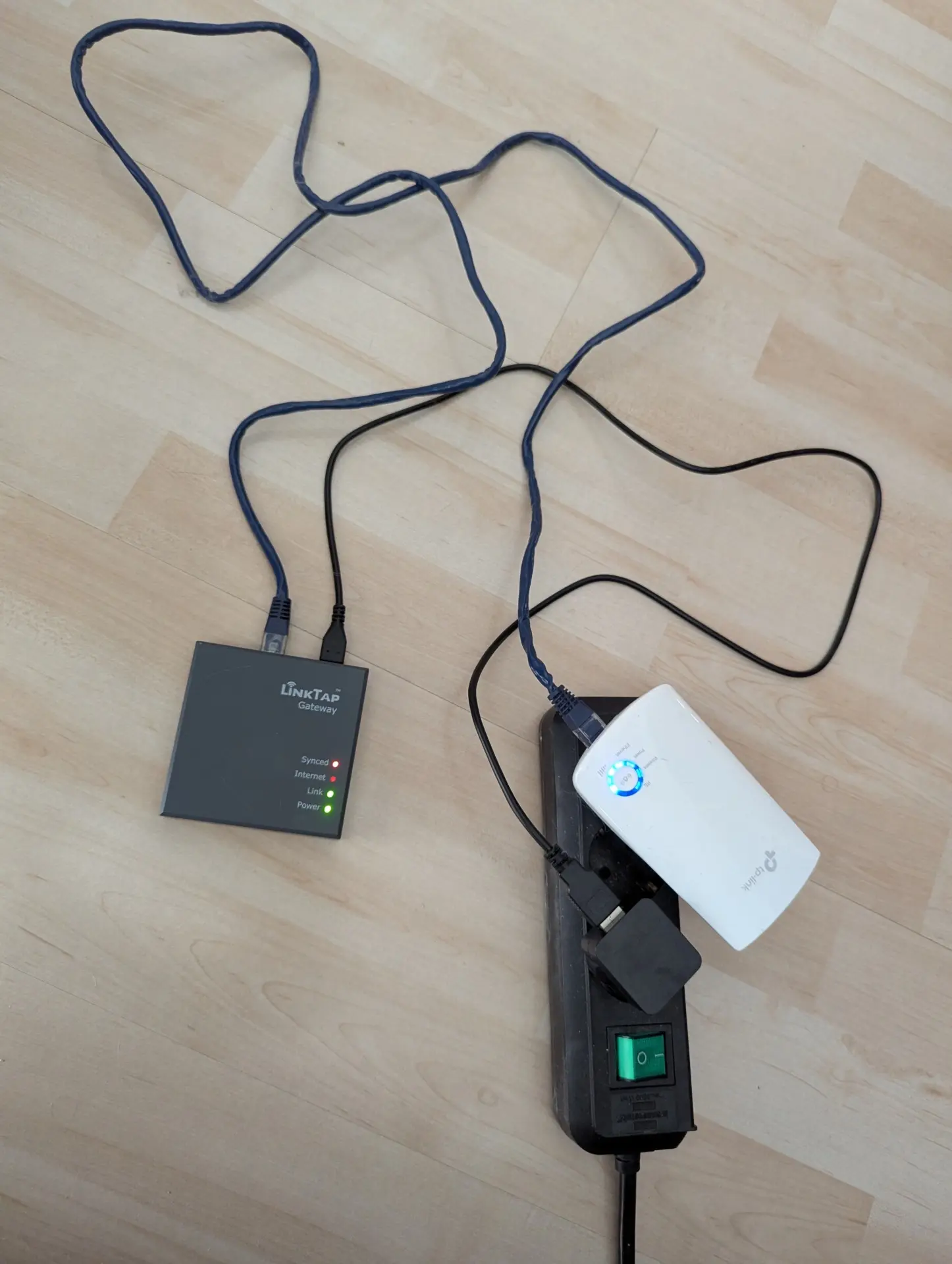
- Connecting the gateway to power and Wi-Fi
-
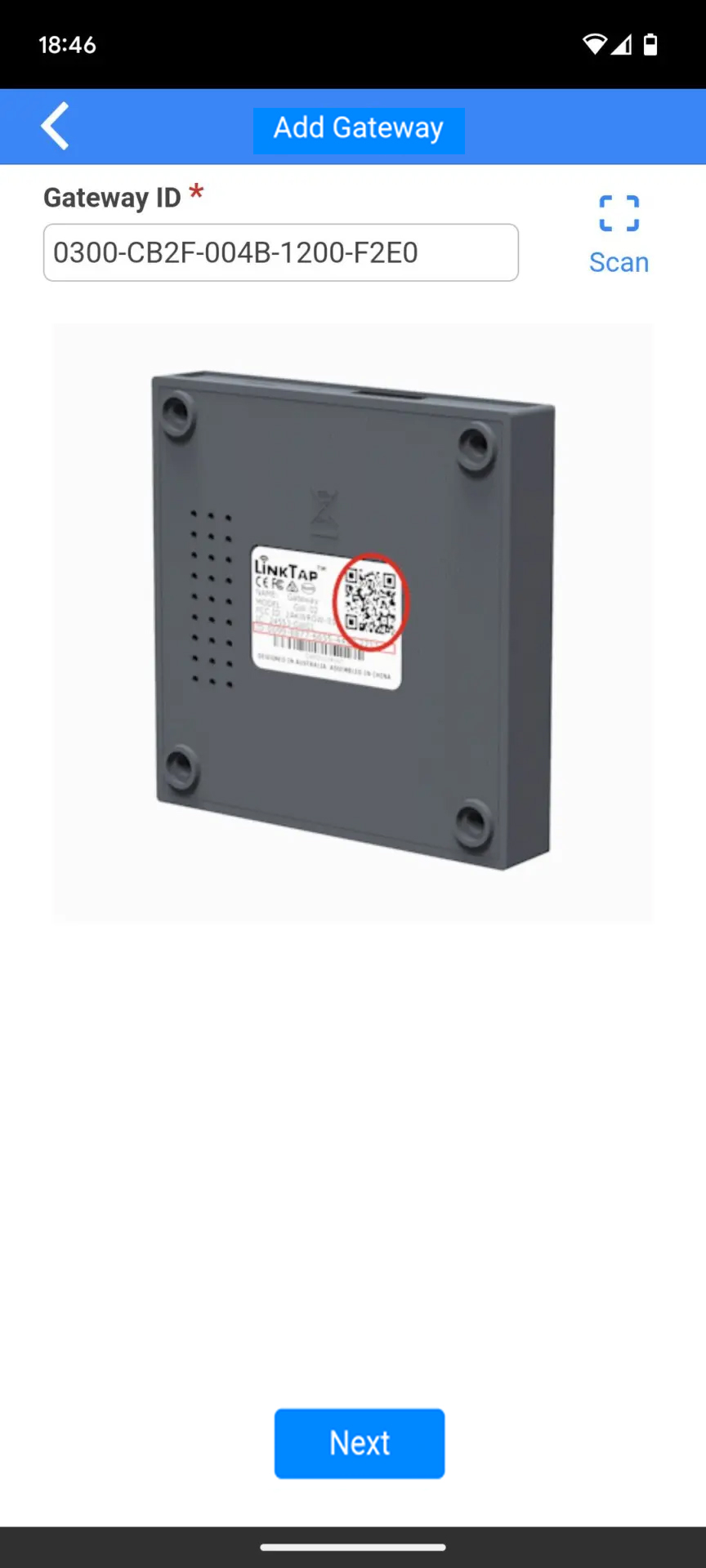
- Entering the unique gateway number
The same process is then repeated for the irrigation controller: Enter the number on the back of the controller into the app. Next, insert four batteries into the irrigation controller and remember to switch it on using the small switch on the bottom. The irrigation controller will now also be detected and ready for use.
-
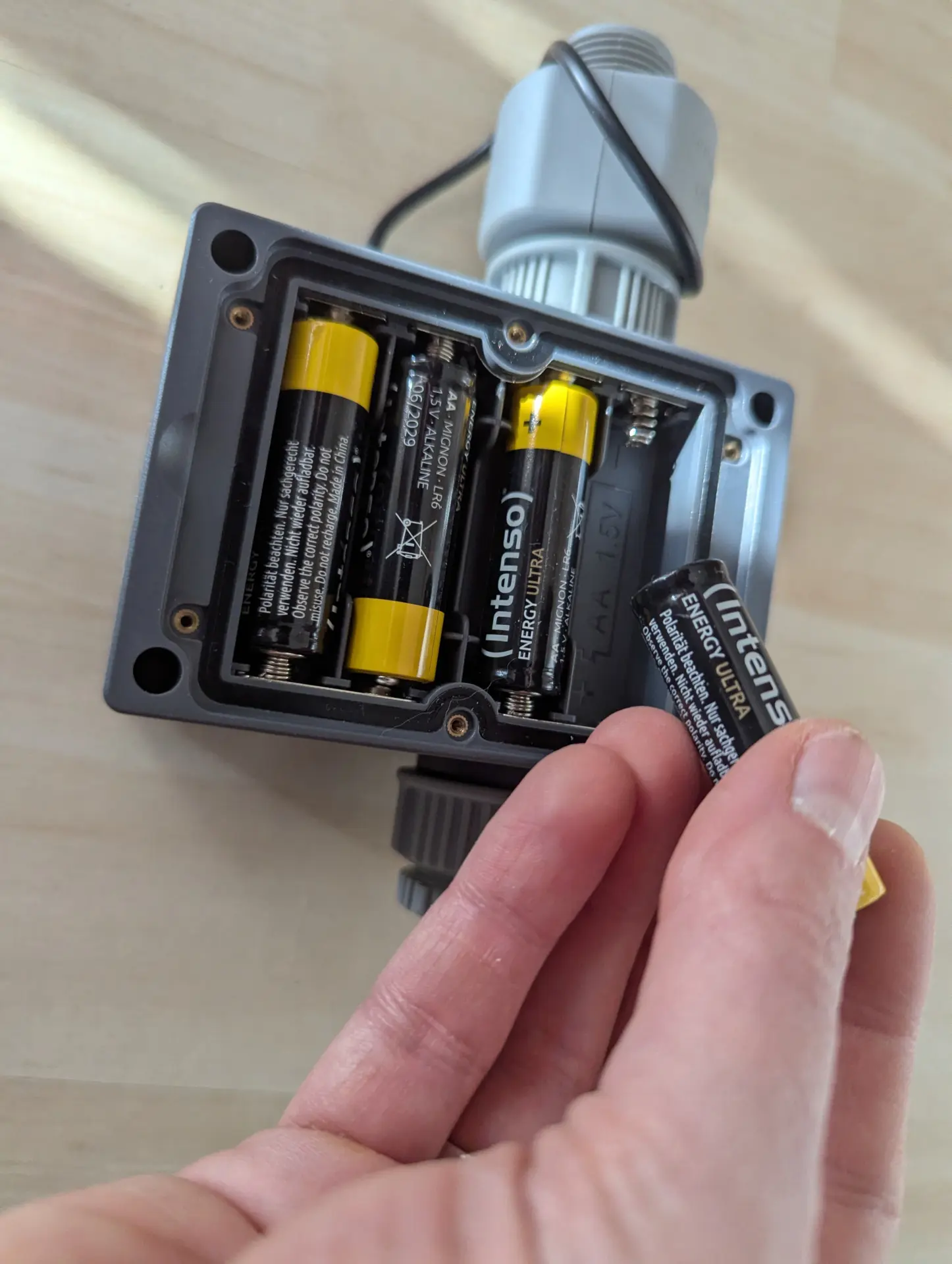
- Inserting batteries
-
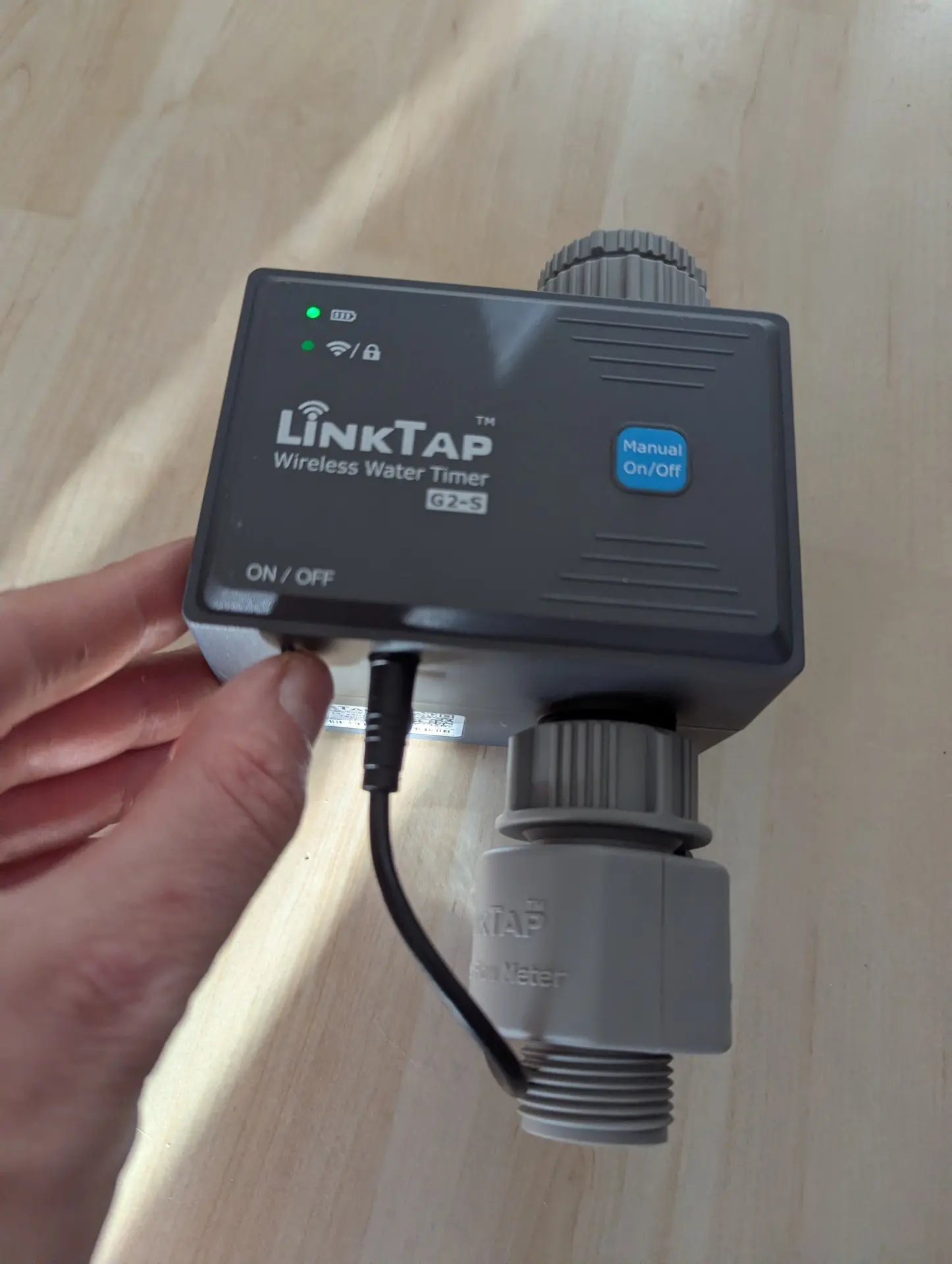
- Switching on the irrigation controller
Hardware
Before I discuss the computer’s software, a few words about the hardware, i.e., the device itself. There are basically two types of irrigation controllers: In the first type, the solenoid valve, which opens and closes with each watering cycle, is integrated directly into the controller. This means the controller comes into direct contact with water. In the second type, the irrigation controller is purely a control unit that operates externally located solenoid valves; there is no direct contact with water.
The LinkTap G2S is a controller of the first type, through which the water flows directly. This type of irrigation controller has significantly higher manufacturing requirements than the second type. Due to constant contact with water and the typically exposed, not particularly weatherproof installation, many such controllers tend to leak after one or two seasons or to malfunction, with the integrated solenoid valve no longer opening and closing properly.
The market of such WiFi faucet controllers is relatively limited, as some major manufacturers like Rain Bird and Hunter don’t offer them, focusing entirely on the second type of irrigation timer. The LinkTap G2S competes in this segment of single-outlet devices with the Gardena Smart Water Control, the Orbit B-hyve Smart Faucet Timer, the RainPoint HTV145FRF, the Eve Aqua, and a handful of no-name irrigation timers.
Of all these alternatives, LinkTap offers the highest-quality hardware in my opinion!
Housing
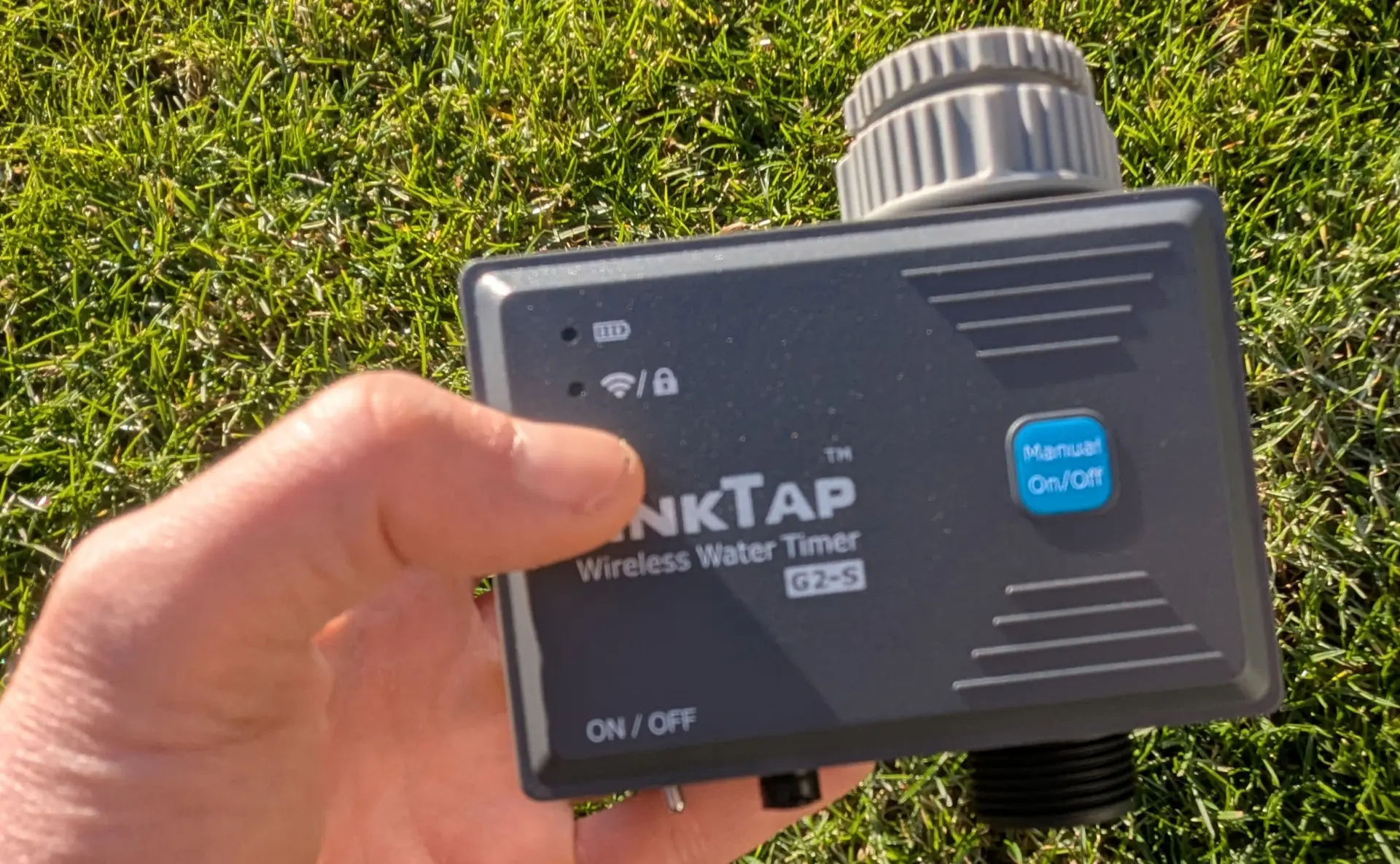
The housing of the G2S
The housing of the G2S, like all LinkTap models, is made of very sturdy, hard plastic. At first touch, it almost feels like metal because it’s so solid. The irrigation controller feels very high-quality overall; nothing wobbles, the connections were watertight in my tests right away, even without additional sealant, and based on my experience, the controller still works perfectly after two or three seasons.
Unfortunately, this isn’t always the case. I’ve had many unpleasant surprises in this regard during my testing with other brands. On the one hand, I’ve encountered devices that are cheaply made from the outset and feel so flimsy and cheap that you’d rather not even touch them for fear of breaking something or not being able to properly close a battery compartment once opened.
On the other hand, I’ve encountered devices that initially look and function quite well, but then, in the second or third season, leak due to brittle material or the solenoid valve no longer opens and closes properly. This is tantamount to total failure and is particularly frustrating with a relatively expensive Wi-Fi device.
Finally, some manufacturers have very lax quality control, so I’ve already encountered several devices I bought for testing that were already malfunctioning upon delivery and had to be replaced.
Therefore, my urgent advice is: When it comes to this type of irrigation controller that screws directly onto the tap, pay particular attention to proper manufacturing quality! You ultimately save nothing if you have to replace a supposedly “cheap purchase” after only two or three seasons!
LinkTap stands out positively in this regard: The products are robust and durable and appear to undergo thorough final inspection. So far, I haven’t encountered a single LinkTap product with obvious defects in my tests. This is also confirmed by the very good reviews on Amazon (4.7 out of 5 stars). I also find it worth mentioning that LinkTap actively focuses on sustainability and provides instructions on its website for repairing minor defects yourself. LinkTap also offers many repair parts free of charge, requiring only the customer to cover shipping costs.
Water Flow Sensor
A special feature is the water flow sensor, which LinkTap includes in all its computer models except the G1S, or at least offers the option to add one. This provides a significant advantage in monitoring and ensuring irrigation, a point that is often overlooked when purchasing an irrigation controller.
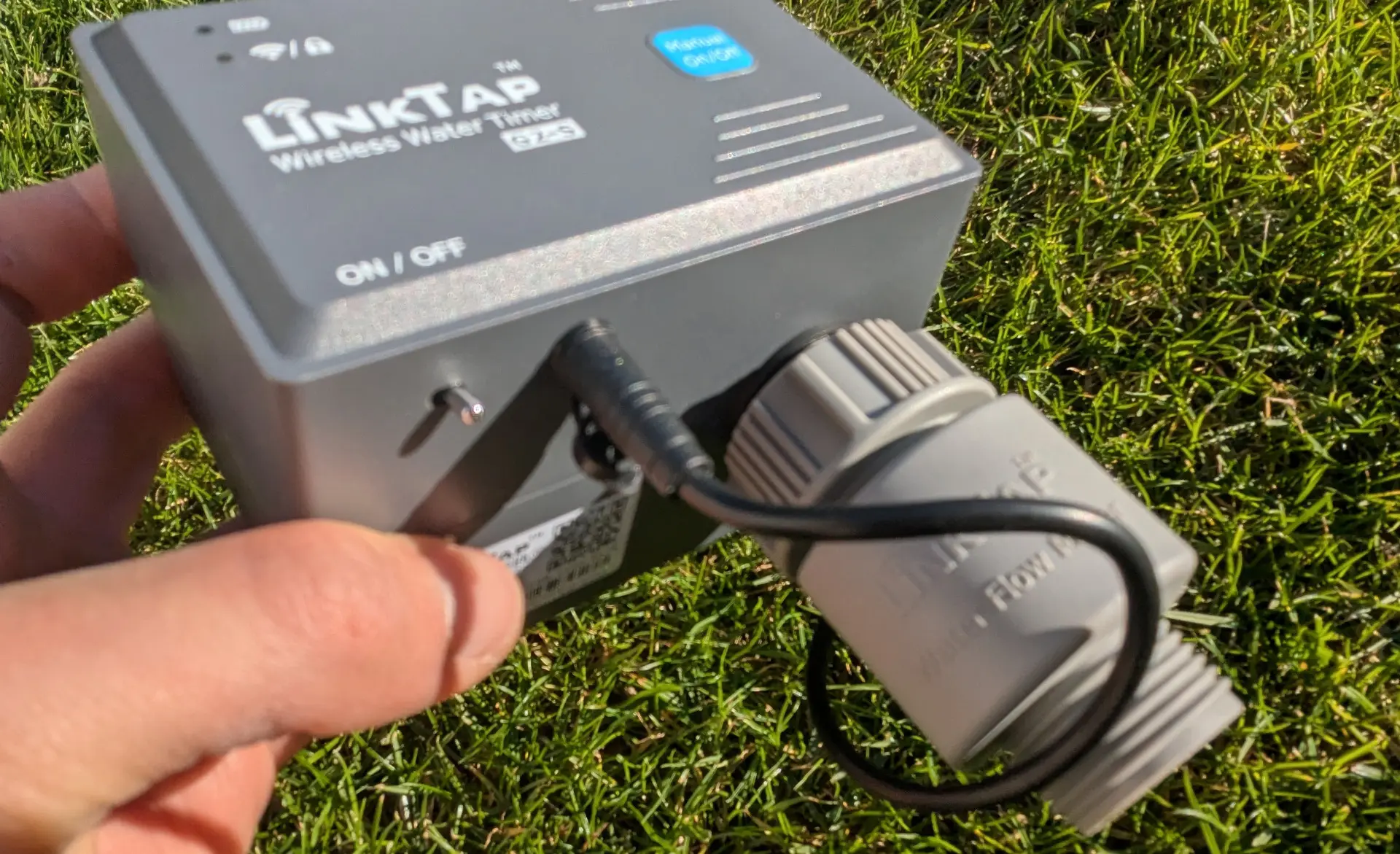
The water flow sensor is simply screwed onto the bottom of the outlet and the cable is plugged into the sensor input
In the event of a valve not closing properly, water can leak uncontrollably over a long period and cause damage. Less dramatic, but still annoying, is the case if a valve doesn’t open properly and the plants in your garden dry out. Both risks can be significantly reduced with a water flow sensor. This sensor detects unwanted or unusual behavior and automatically sends a notification when it occurs, allowing you to react promptly.
Note: Even though the more affordable model, the LinkTap G1S, looks almost identical to the LinkTap G2S, it cannot be retrofitted with a water flow sensor because the necessary input is missing. Therefore, if you plan to use such a sensor, you must choose the G2S from the start!
At present, the G2S does not support the Advanced Flow Monitoring feature, a very clever monitoring option for the irrigation controller in conjunction with a flow switch, water level switch, or float valve. This feature is currently only available with the LinkTap models T1, Q1, and ValveLinker.
It’s important to be aware that using a water flow sensor always reduces water pressure slightly. You can think of it like a small turbine that’s turned by the water, thus measuring the flow rate. This isn’t a problem if the water source is adequately sized, but it can become an issue if the irrigation system is already tightly calculated and the sprinklers then no longer reach their intended throw distance. If necessary, the G2S can also be operated without the water flow sensor. Simply unscrew it and connect it directly to the threaded outlet.
Micro Flow Meter FM20-S
LinkTap offers a second water flow sensor, the Micro Flow Meter, as an alternative to the water flow sensor included in the kit. This second sensor is suitable for very low flow rates, such as those found in micro-irrigation solutions. Standard water flow sensors are incapable of handling such small volumes. The water flow sensor included in the kit is designed for flow rates of at least 30 gallons (120 liters) up to a maximum of 800 gallons (3.000 liters) per hour. The Micro Flow Meter, on the other hand, is suitable for very low flow rates, from 3 gallons (12 liters) per hour up to a maximum of 80 gallons (300 liters) per hour. It costs $20.
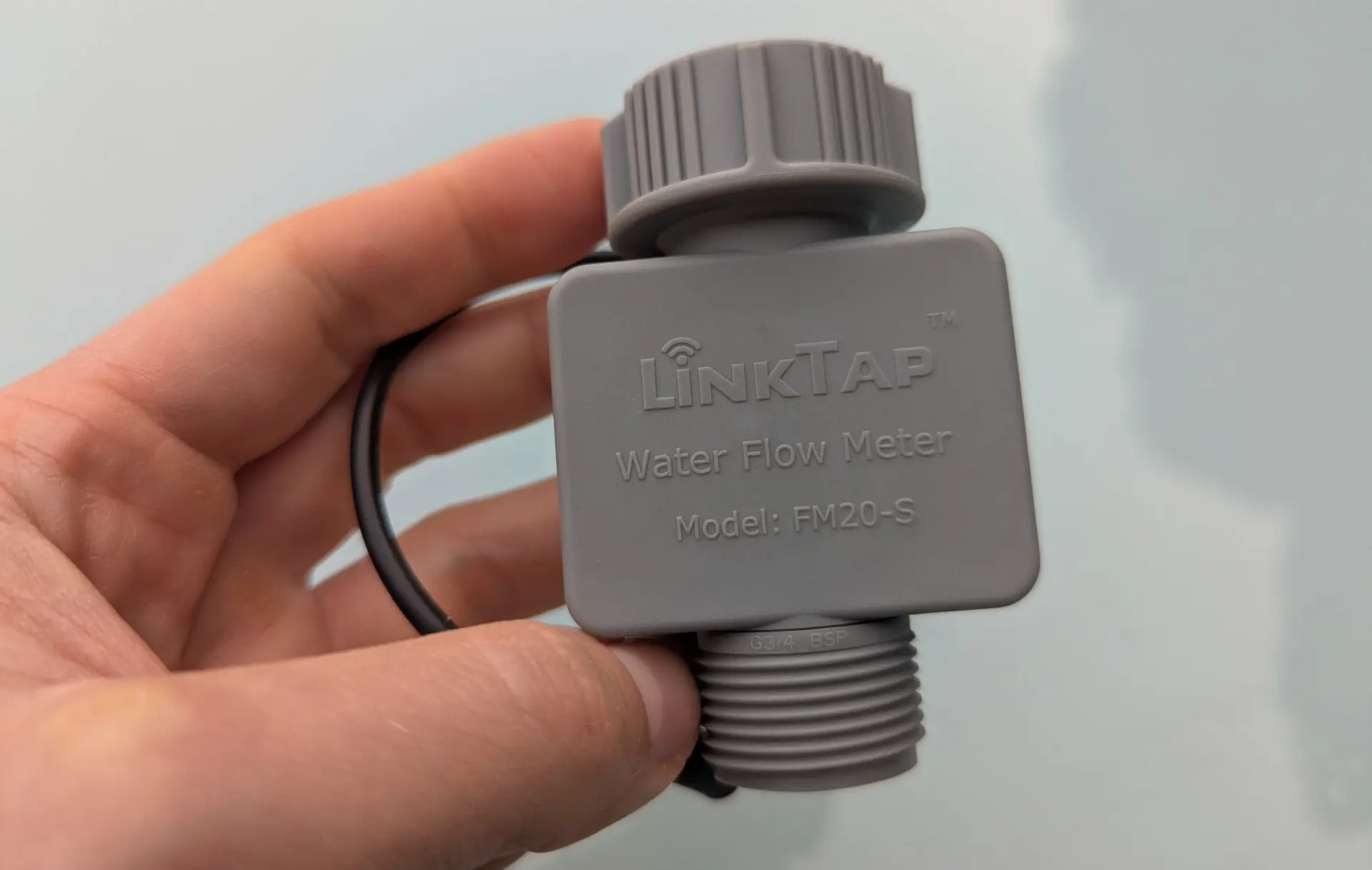
Alternative for micro-irrigation systems with very low water flow rates: LinkTap FM20-S Micro Flow Meter
Manually Starting an Irrigation Cycle
From my own experience, this is quite important: The G2S has a blue button on the front for starting an irrigation cycle directly on the computer. Nothing is more annoying than standing in front of the irrigation controller wanting to start a quick watering cycle, only to find you can’t because you don’t have your mobile phone handy.
This button is a new addition compared to the previous G2 model. Pressing the button starts the irrigation cycle. By default, it runs for 30 minutes, but can be ended prematurely at any time by pressing the button again. The 30-minute duration is also adjustable in the app; it can be set to any value between 1 and 1439 minutes.
On/Off Switch
A small detail, but still worth mentioning: The LinkTap controllers are currently the only irrigation controllers I know of that have their own on/off switch. This can be quite practical for switching off the irrigation controller if you won’t be using it for an extended period. This saves you the trouble of removing the batteries.
Inlet and Outlet
Two adapters are included for the inlet, allowing the irrigation controller to be used with 1-inch, 3/4-inch, and 1/2-inch faucets. A 1/2-inch tap connector is included for the outlet. If using the controller for an irrigation system, this connector should definitely be replaced with a 3/4-inch tap connector to avoid unnecessary pressure loss.
Wireless Connection
The high-quality wireless connection is a key feature. LinkTap deliberately uses the Zigbee protocol for communication between the gateway and the irrigation controller, as it offers a more stable and longer range compared to Wi-Fi. This can be a significant advantage if there are obstacles that are difficult for the wireless signal to overcome or if the two devices are far apart. In my tests, the wireless connection was sufficient for distances of up to 100 feet (30 meters) between the gateway and the irrigation controller; beyond 130 feet (40 meters), the connection failed.
For particularly large gardens or challenging locations, LinkTap offers the option of integrating a signal repeater. The LinkTap Extender costs $40, operates wirelessly, and is weatherproof. It can be positioned between the gateway and the irrigation controller, creating a mesh network between the components. For particularly long distances, multiple extenders can be connected in series. The extender can be powered by battery or cable. It can also be connected to a small solar panel.
Additional Sensors
Currently, neither a rain sensor nor a soil moisture sensor can be used with LinkTap devices. Due to the weather control enabled by the software, there is no real need for a rain sensor, but a soil moisture sensor can be quite useful in practice in addition to weather control. According to LinkTap, connecting such a sensor without a physical output will be possible via the software in the near future.
Pressure Loss
During a bucket test, I also specifically examined the pressure loss associated with using the G2S. It’s important to be aware that using an irrigation controller always results in a certain pressure loss compared to directly connecting the pipeline or hose to the water source.
First, I measured the water flow per hour at the outdoor tap where the test was conducted without the irrigation controller. Result: 550 gallons (2.100 liters) per hour.
Then I repeated the bucket test with the G2S irrigation controller. The water flow rate in the bucket test is reduced to approximately 400 gallons (1.500 liters) per hour when using the G2S. Out of curiosity, I also repeated the test without the water flow sensor attached, which resulted in a flow rate of about 420 gallons (1.600 liters) per hour – not a significant difference. With these figures, the G2S performs roughly on par with competitor products, although in my opinion, all of them still have room for improvement, namely by designing irrigation controllers with fewer bottlenecks. Only the Gardena Smart Water Control has a slightly better design in terms of pressure loss.
Software
This is the area where LinkTap has made the most progress since testing its predecessor. In my comparison of WiFi apps from the leading irrigation controller manufacturers, LinkTap is currently in second place and is hot on the heels of Hydrawise, the current top-performing software.
-
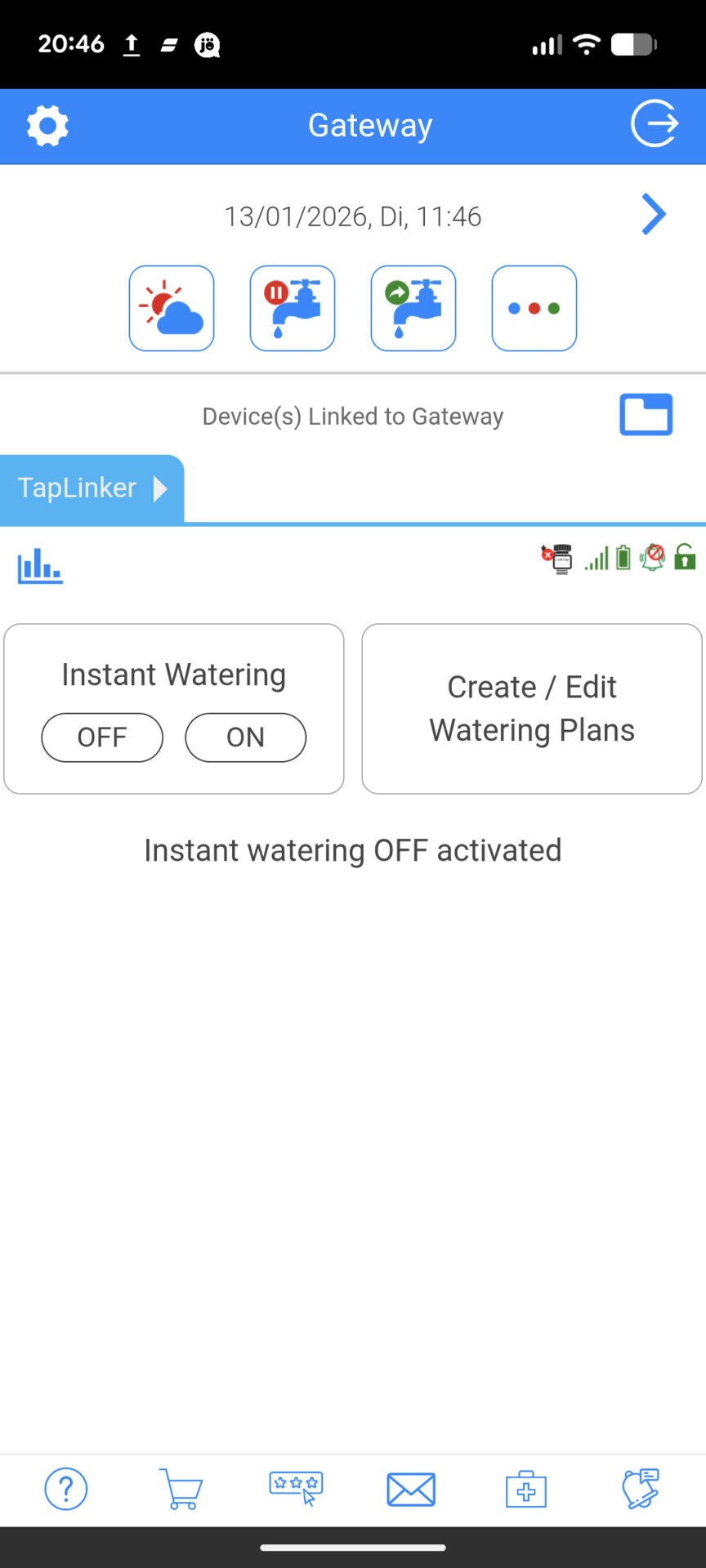
- LinkTap app homepage
The weather control function is very user-friendly and includes all the essential features. While not quite as detailed as the Hydrawise system, it’s very practical in my opinion.Furthermore, the LinkTap app offers the best functionality when used with a water flow sensor and includes features like Smart Anti-Freeze Protection, which are not found in any other system.
And very importantly: LinkTap is currently the most innovative system on the market, with continuous software development. Most recently, enhanced flow monitoring and intelligent frost protection were added, and according to the Australian LinkTap developers, further software enhancements are planned. For example, it should be possible to use your own weather station in the future. You automatically benefit from these future expansions through the free updates available via the app.
In the following article, I have examined the LinkTap software in great detail and describe all its functionalities: Complete description of the LinkTap app’s features. The following table summarizes the key features of the software:
Continuation
Here is some additional information on a few selected points:
Irrigation Types
When creating an irrigation schedule, you can choose from 5 different types: Interval mode, 7-day mode, Odd/Even mode, Month mode, or Calendar mode. This should cover virtually all conceivable scenarios. The Calendar mode offers the greatest possible flexibility.
Creating Irrigation Templates
While you cannot explicitly create templates, any irrigation schedule you create can be used as a template for other schedules, which essentially amounts to the same thing.
Granting Access to Other Users
It is possible to grant access to the app to other people. To do this, you can send an email invitation from within the app. You will be notified if the invitee accepts the invitation. Guest access, once granted, can be managed and revoked via the app.
Alert Notifications
Comprehensive alert notifications can be activated for up to nine events, as well as for additional events related to water flow. Notifications are received via push notification on your mobile phone and via email. A special feature: You can register up to two additional email addresses to which the alert emails will be sent.
Use of Weather Data
Weather data is obtained from the Apple WeatherKit service for the user’s local location. A specific weather station cannot be selected. According to LinkTap, the option to use your own weather station will be available in the future. Currently, this is not possible, unlike with Orbit B-hyve, Opensprinkler, and Hunter Hydrawise (for an additional fee).
-
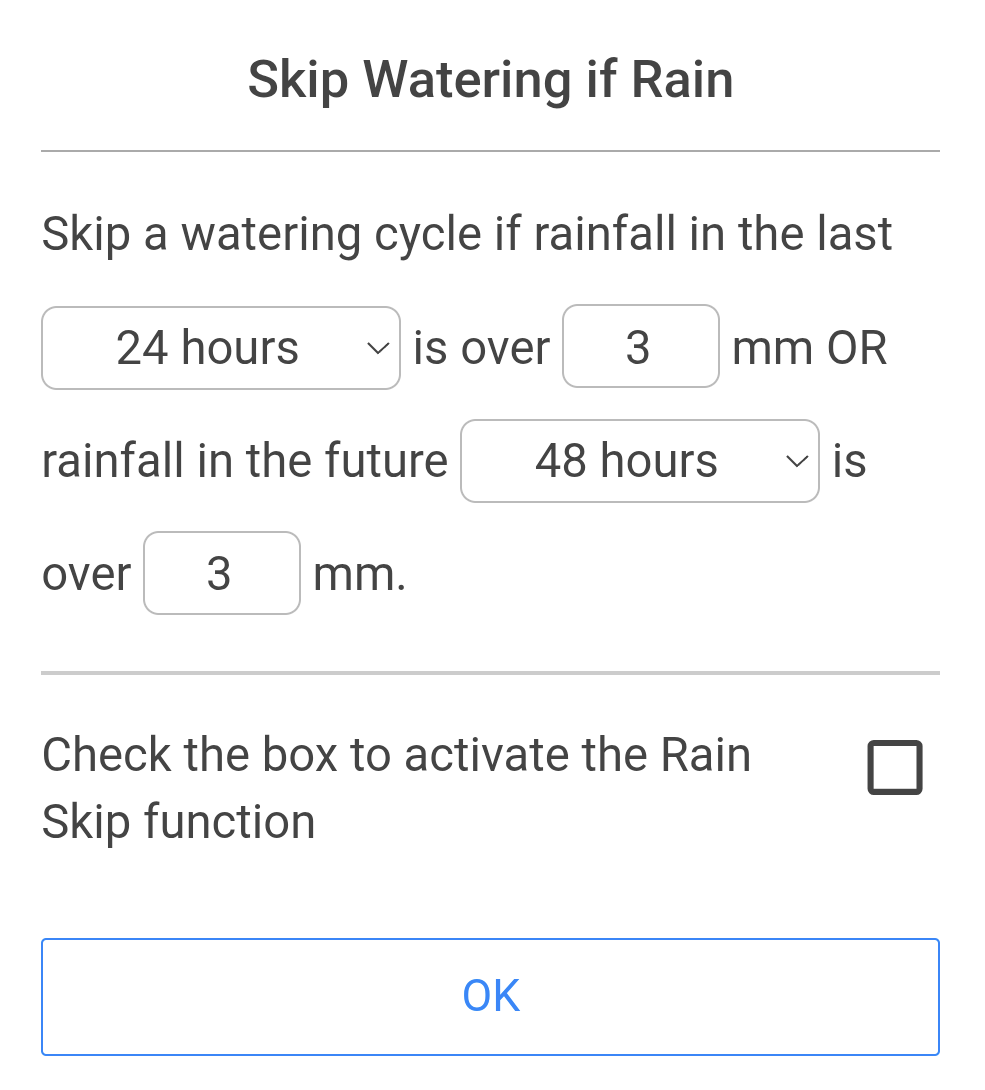
- Rules based on rain
-
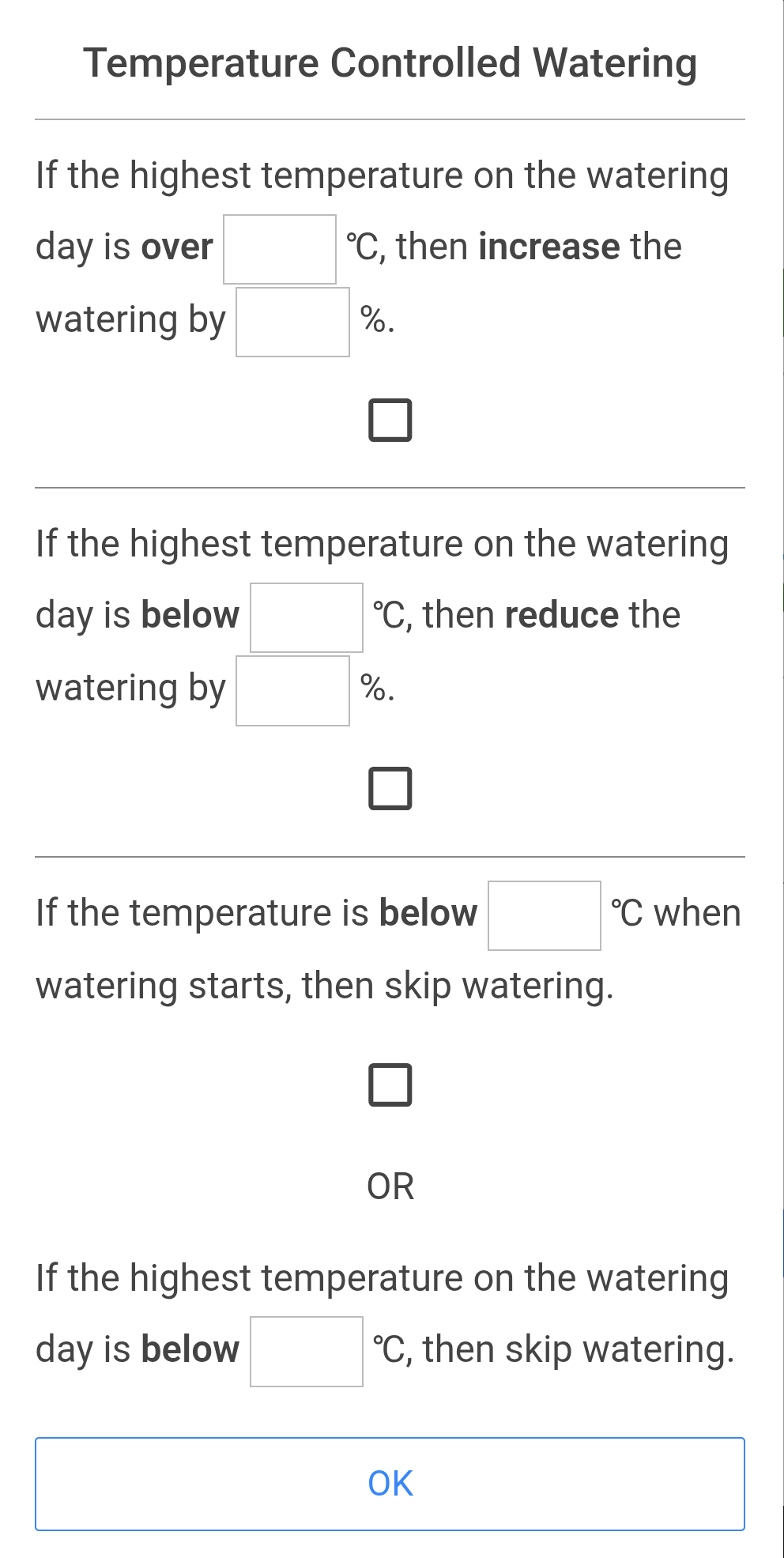
- Rules based on temperature
Suspend Irrigation
Irrigation can be suspended for any duration between 0.1 and 240 hours, or paused indefinitely (with common presets such as 6, 12, 24, 48, and 72 hours).
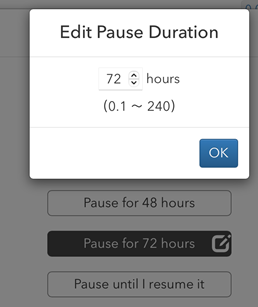
Set pause time
Use a Master Valve
LiLinkTap is the only irrigation controller of this type that I know of that allows the use of a master valve. For this purpose, a second LinkTap controller can be defined as the master valve.
Price and Availability
The complete G2S set, including the gateway, costs approximately $120 to $140. Without the gateway, it’s about $30 less.
As far as I know, the computer is only available online. Amazon offers a wide selection, while the complete range is available directly from the LinkTap online shop.
Note: As a reader of this blog, you can use a 5% discount coupon when shopping in the LinkTap online shop. Coupon code: LINKTAP-BSB! Like Amazon, LinkTap offers free shipping on all orders.
Conclusion and Recommendation
The LinkTap G2S has improved significantly compared to the LinkTap G2, which I tested in 2020! The hardware was already very good back then and has been slightly enhanced with a practical button for manual watering. In terms of hardware, LinkTap is currently the leader in faucet control water timers, in my opinion. The quality and durability of the hardware are extremely important for this type of irrigation controller, as they are subjected to heavy use and therefore sometimes break down very quickly.
A very good feature is the integrated water flow sensor. On the one hand, this allows you to keep a close eye on water consumption. Even more importantly, the sensor provides immediate notification of problems such as a valve that isn’t opening or closing properly, or a leak. This allows you to react immediately before any damage occurs.
The LinkTap software has made a significant leap forward, now offering even more sophisticated weather control based on both rainfall and temperature. Regarding rainfall, it can take into account both past and expected precipitation. Regarding temperature, the amount of water applied can be adjusted if the temperature exceeds a certain level when irrigation starts. The time period to be considered, as well as the amount of rainfall, watering volume, and temperature, can be freely entered. This works very well; only Hydrawise offers even more detailed weather control.
Furthermore, the LinkTap software includes several sophisticated features, such as an automatic temperature warning that uses a built-in temperature sensor to alert you to the risk of frost. Above all, LinkTap is currently the most innovative company among all manufacturers, continuously developing its software and gradually incorporating additional features requested by users.
LinkTap’s devices are generally positioned in the higher price range, and the LinkTap G2S, at $120 to $140, is no exception. However, compared to the overpriced Gardena Smart Water Control, the G2S is still relatively inexpensive. The Eve Aqua, which only works with Apple Home, is priced similarly, while the Orbit B-hyve Smart Faucet Timer and the RainPoint HTV145FRF, at around $80, are significantly cheaper, as are some generic, unbranded devices.
Despite its robust and high-quality hardware, which promises a longer lifespan, and especially its now-best software among faucet control water timers, the LinkTap G2S is my top recommendation!
In direct comparison to its competitors: The Gardena Smart Water Control is expensive and has very weak software. I would only consider it if you already own other smart Gardena devices, and even then, probably not.
The Eve Aqua costs about the same, but is essentially just a smart plug with much lower build quality than the G2S. It lacks a water flow sensor, only works with Apple Home, and has significantly reduced software with far fewer features.
The Orbit B-hyve Smart Faucet Timer is considerably cheaper and also includes a water flow sensor. Its software isn’t bad, but in my opinion, it’s somewhat inferior to the LinkTap software. What I dislike about Orbit is my experience with the build quality and durability of their devices. The price difference makes it worth considering, but you could also end up disappointed and annoyed if you have to replace the computer after only a short time.
Of the Chinese RainPoint computers, I’ve only tested the RainPoint models with two outputs so far. The hardware looks decent at first glance, but I lack the long-term experience to comment on its durability. The RainPoint software is at least two classes below LinkTap’s. However, if the software isn’t a priority and you primarily want to control the computer wirelessly and the low price is your main concern, it’s a worthwhile alternative.
The cheapest no-name water timer with WiFi (Amazon link) currently start at around $30. These are very basic devices whose software is essentially limited to remotely switching the controller on and off. These manufacturers have little to no experience with garden irrigation, and you shouldn’t expect much in terms of hardware quality and durability.
Final conclusion: The LinkTap G2S is currently the top choice among tap water timers due to its superior hardware and software! While the G2S can’t compete with the cheapest alternatives on price, I believe the higher price is justified by what it offers.