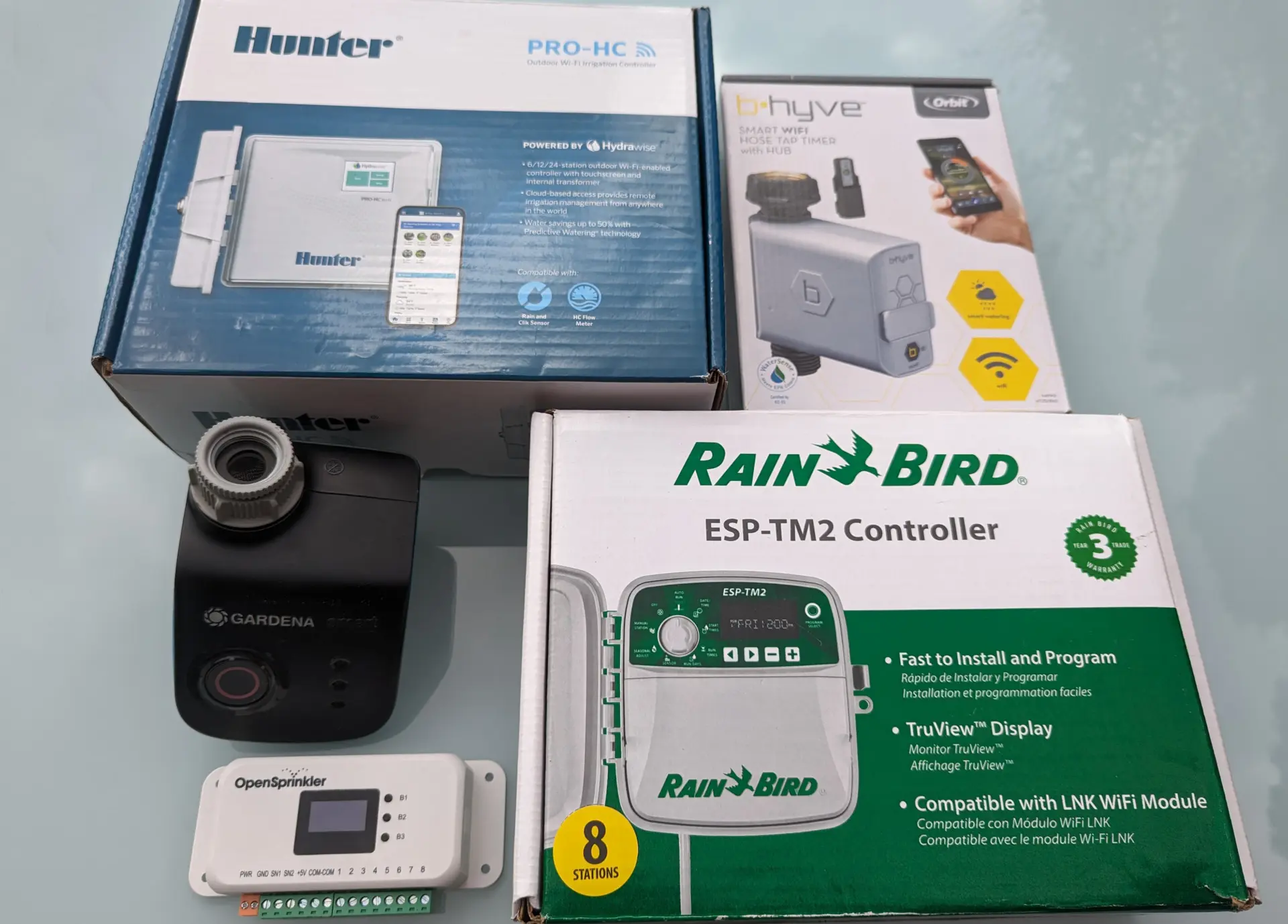
I’ve now tested all the major smart irrigation computer systems on my blog. In this post, you’ll learn which one I consider the best and what strengths each system has in different areas.
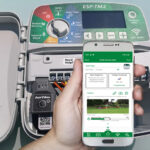
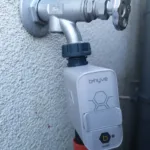
The market for Wi-Fi-enabled irrigation controllers is relatively small. Aside from a few no-name brands, the market is dominated by the following seven providers:
RainPoint, which currently offers three different apps. The best of these is the RainPoint Home app
In the US, there are also the smart irrigation controllers from Racchio, which are very popular and highly rated there. I haven’t looked at these yet. They are only suitable for use with the 110-volt mains voltage used in the US, not for the 220 or 230-volt systems used outside the US. I also haven’t tested the controllers from the second major supplier from the Far East, Diivoo, but they should be very similar to the RainPoint controllers.
Aside from these, there are a handful of no-name brands on the market. In terms of software, these can’t compete with the ones mentioned here. This is because developing sophisticated smart irrigation software involves considerable investment costs. It requires thousands of expensive developer hours just to offer a halfway competitive system. The software in no-name products is therefore usually limited to the basic function of controlling the controller via the web.
Whether it’s worth investing more in a sophisticated system, or whether a more affordable smart system will suffice, depends on individual needs. I will discuss the key differences below.
Quick Comparison Table
Below, I have compiled a table comparing the most important features of the six most common systems. The image links to a product using that system on Amazon. Only the OpenSprinkler, which is not available on Amazon, links to the OpenSprinkler shop page.
Below is a detailed comparison of the key features.
Weather Control
The key differentiator, and what separates the wheat from the chaff, is the irrigation system’s ability to automatically react to weather events. This is by far the most complex aspect of irrigation software, and for more demanding applications, there’s currently no way around spending a bit more. Hunter Hydrawise currently leads the pack in this area, followed by Orbit B-hyve, Opensprinkler, and LinkTap. RainPoint trails behind, and Gardena Smart System and Rain Bird Smart Watering System share last place.
In Detail:
Hydrawise
The pioneer in this field is Hydrawise, which originated as a startup that, starting in 2011, developed an irrigation computer specifically optimized for web-based use and was later acquired by the established company Hunter. And Hydrawise is also the system that, based on my tests, currently offers the best system in this area.
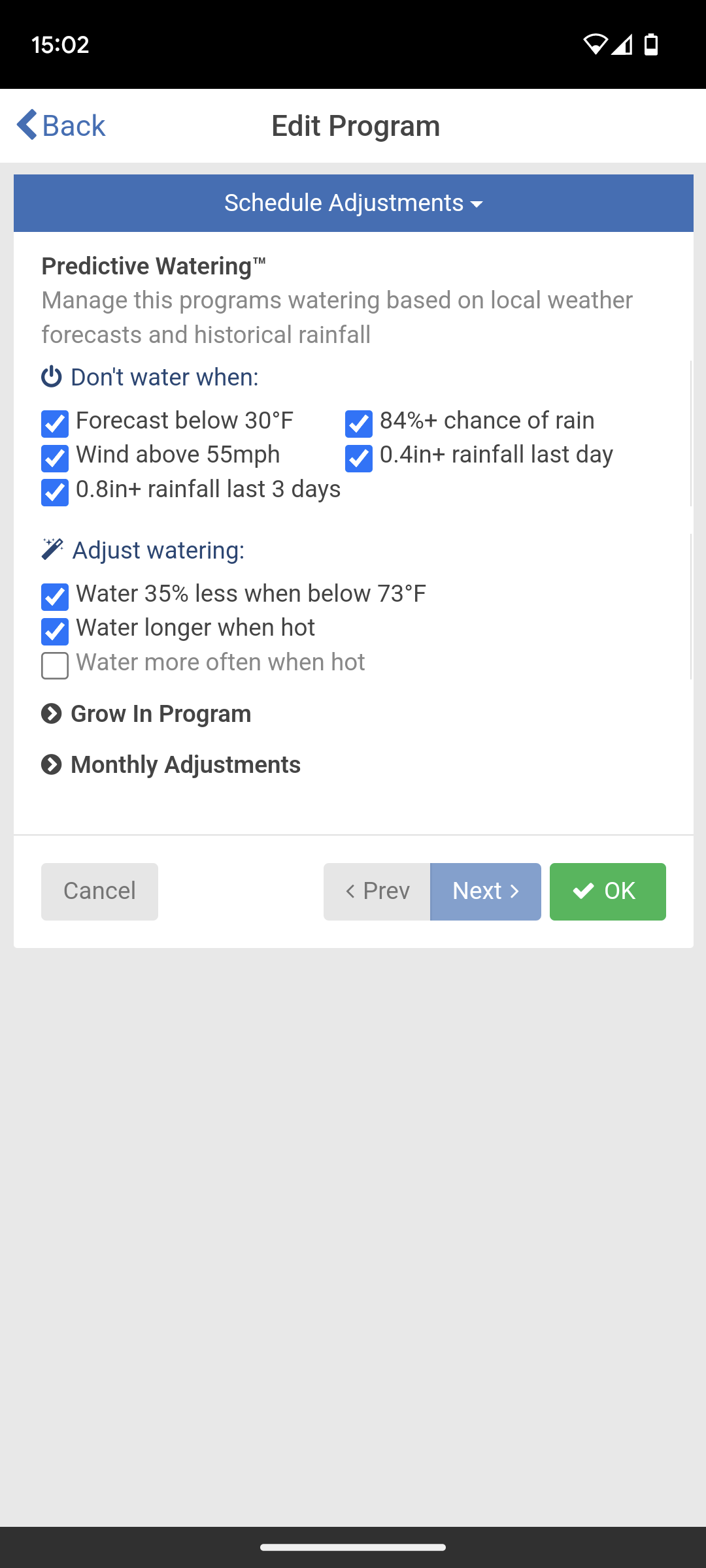
Users can choose between three different irrigation modes, either letting artificial intelligence control the irrigation fully automatically or creating their own programs and defining specific rules for how weather conditions like rain, wind, temperature, and humidity should affect the programs. For example, they can specify that programs should be skipped or shortened if there is sufficient natural rainfall. Hydrawise allows for up to eight different “Predictive Watering” rules to be defined for this purpose.
Hydrawise Predictive Watering rules
The weather data used comes from Weather.com and a weather station located near the garden. This service is free; however, if you want to use your own weather station, you need to upgrade to the paid Enthusiast plan ($66/year).
B-hyve
Orbit B-hyve also offers a fairly sophisticated weather control system. Unlike Hydrawise, however, it only offers the choice between automatic operation with weather control and manual programming without weather control. Using weather rules for a manually created program is not possible.
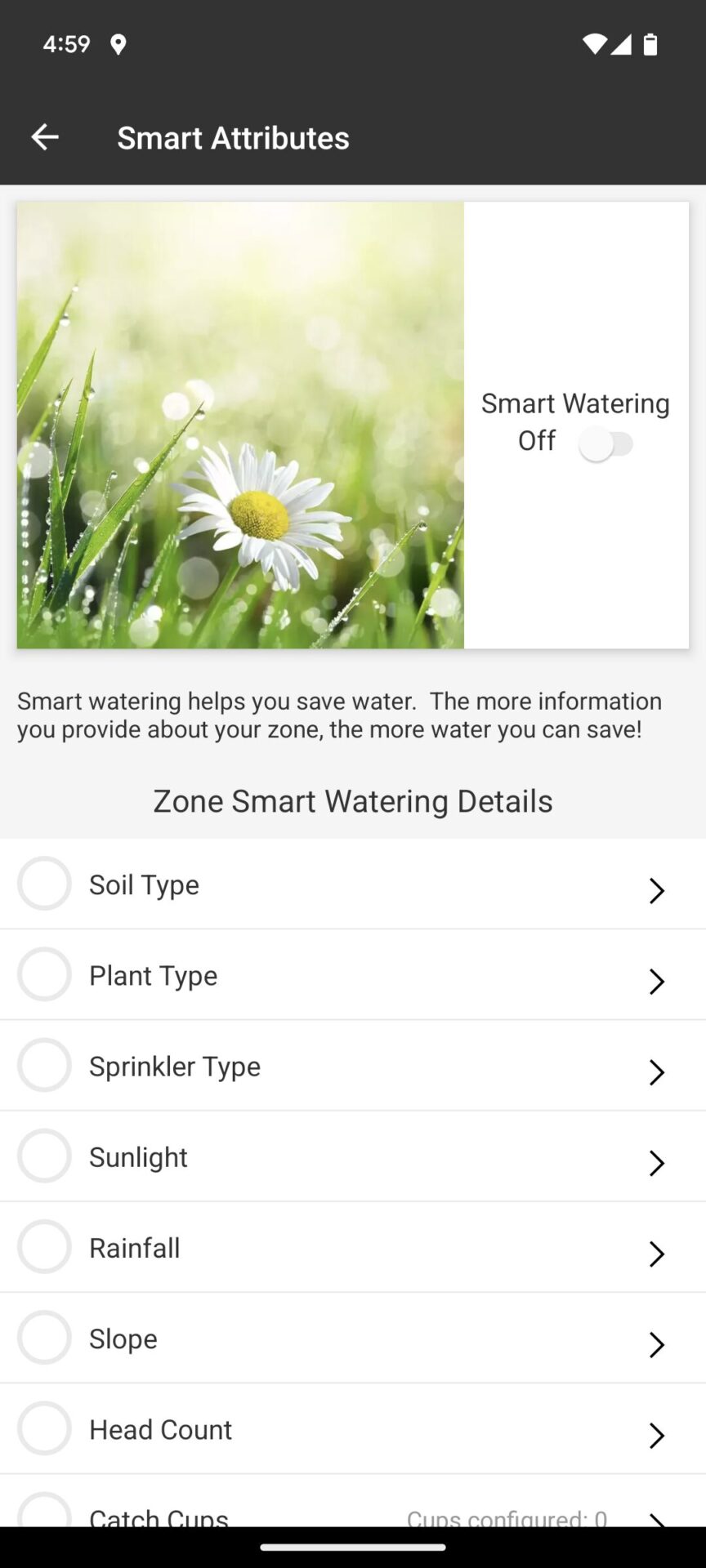
Furthermore, the automatic operation largely runs in a black box, meaning that the system’s decisions can only be traced to a very limited extent. On the other hand, an advantage is that the site-specific conditions can be recorded in great detail. If you prefer automatic weather control, then B-hyve is not a bad choice!
Excerpt of the details to be provided regarding the location and the irrigation system in order to use B-hyve Smart Watering
OpenSprinkler
OpenSprinkler doesn’t offer automatic irrigation, but it does allow you to influence a manually created program using one of three weather methods:
Zimmerman
Automatic Rain Delay
ETo
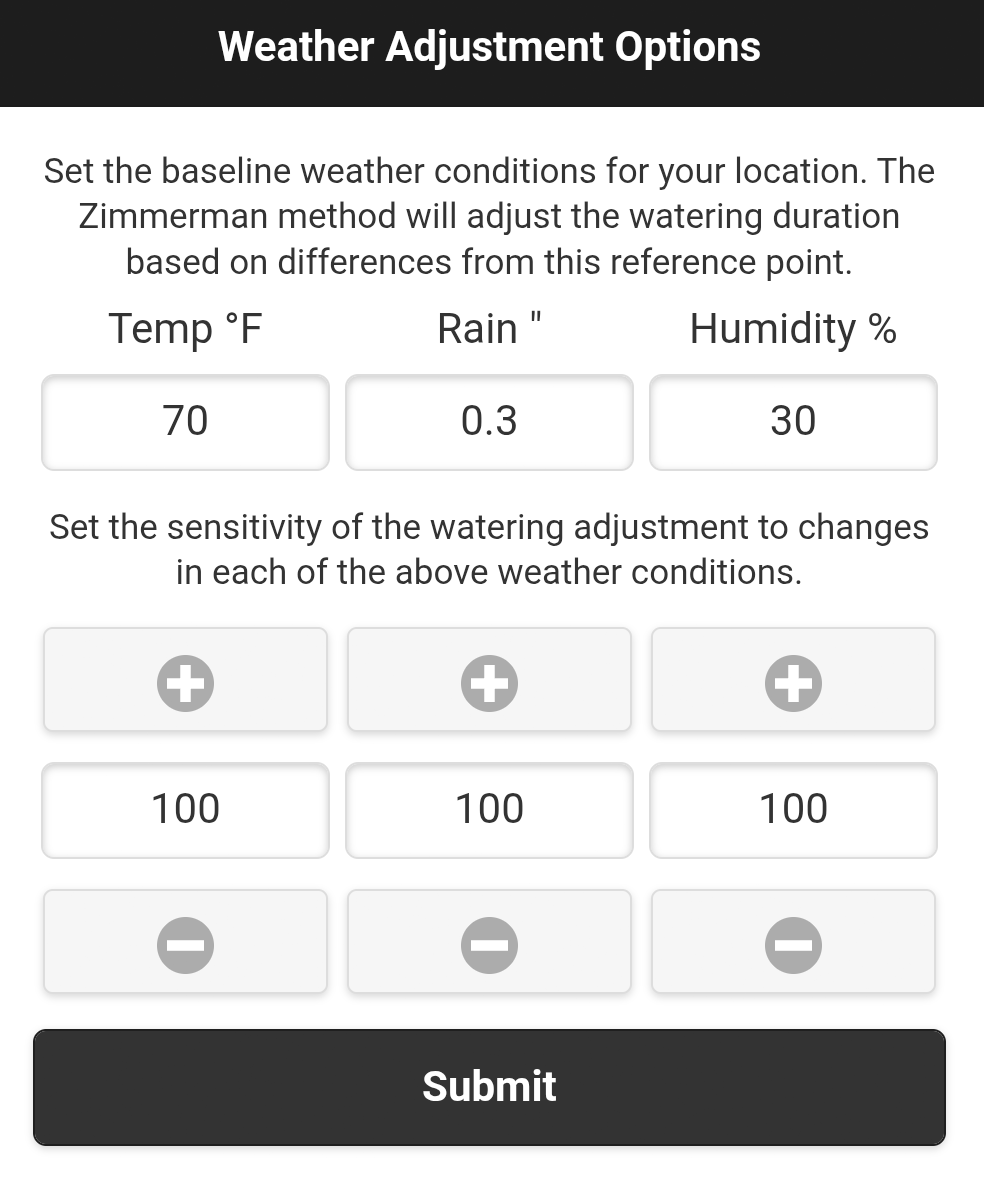
Zimmerman and ETo reduce or extend the irrigation duration based on a comparison of temperature, rainfall, and humidity with previously set average values. If these values are higher, irrigation is extended; if they are lower, it’s shorter. The Automatic Rain Delay cancels irrigation if the weather forecast predicts rain. Currently, this cannot be further configured (e.g., time period, rainfall amount), making this method practically unusable. However, OpenSprinkler is a rapidly evolving program, so this may change soon.
Weather-specific settings according to the Zimmerman method
LinkTap
LinkTap doesn’t offer automatic weather control, but you can create a manual program and define a rule based on predicted and actual rainfall. This rule will skip watering if the predicted or actual rainfall exceeds certain thresholds. You can define these thresholds yourself, as well as specify the time period before and after the predicted rainfall.
LinkTap Rainfall Rules
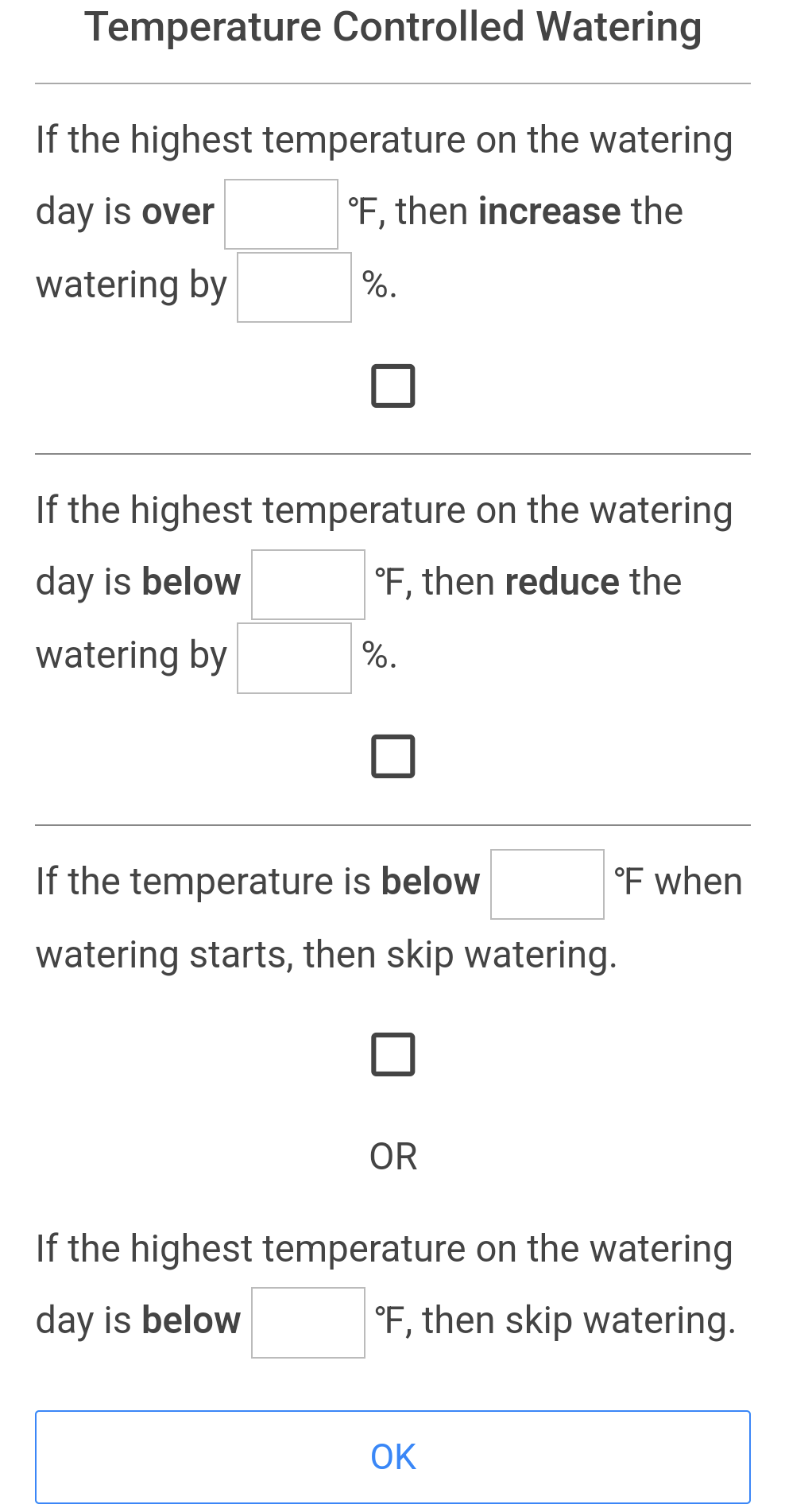
In addition, a second rule can be defined. This rule increases the amount of water (= watering duration) by a certain percentage if a specific temperature is exceeded on the watering day, and decreases it by a certain percentage if a certain temperature is not reached. Watering can also be skipped entirely if a minimum temperature is not reached.
LinkTap Temperature Rules
These two rules together allow for very effective weather-based watering control!
RainPoint Home
Offers the possibility to incorporate five different weather conditions into irrigation:
Temperature
Humidity
Wind speed
Probability of precipitation
General weather type
Thresholds can be defined for these conditions, which then either pause irrigation for a specific period or stop it entirely.
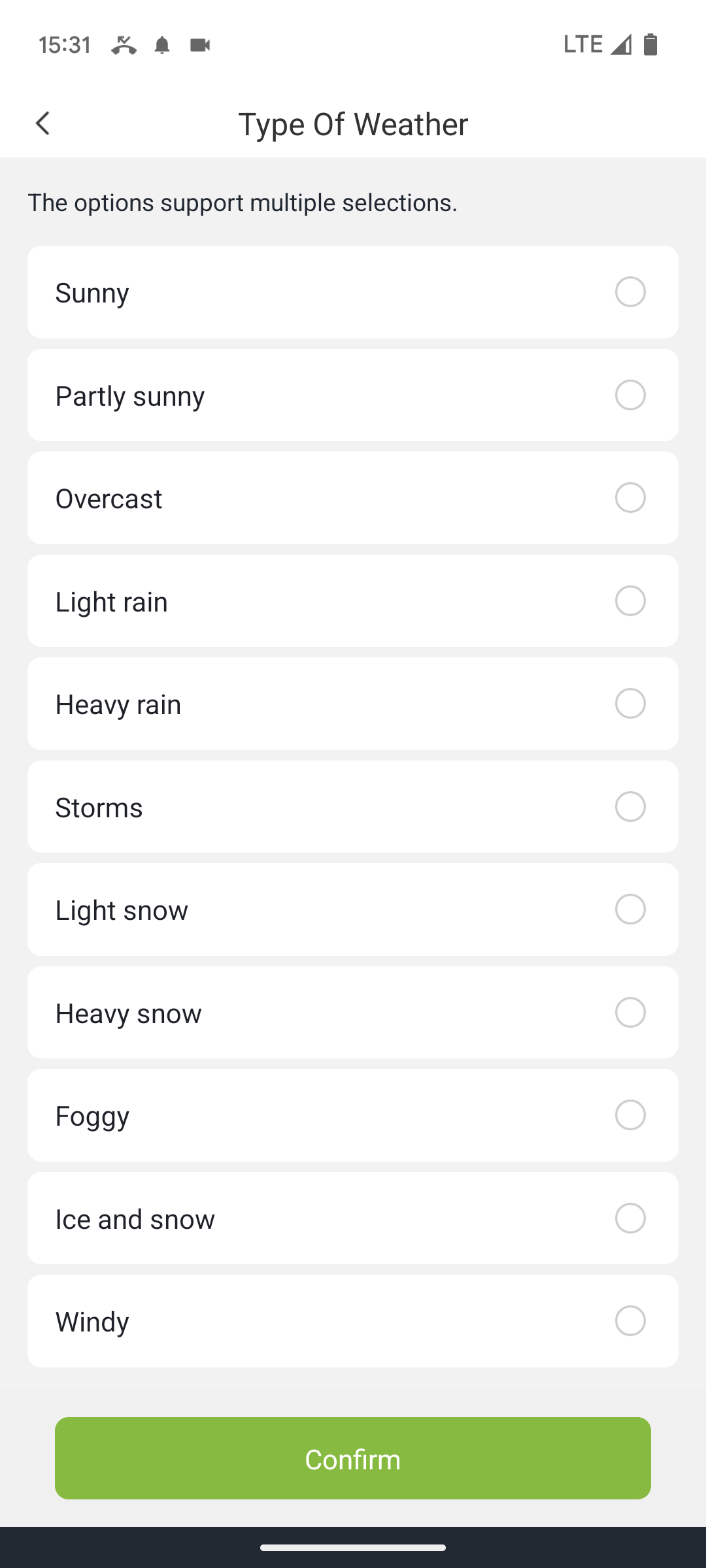
This sounds quite promising in principle, but unfortunately, the implementation is not very practical. For precipitation, neither precise amounts nor a precise measurement period can be defined, and the weather data provided is far too imprecise and lacks transparency to be used effectively for irrigation control.
Control based on weather type
Gardena Smart System
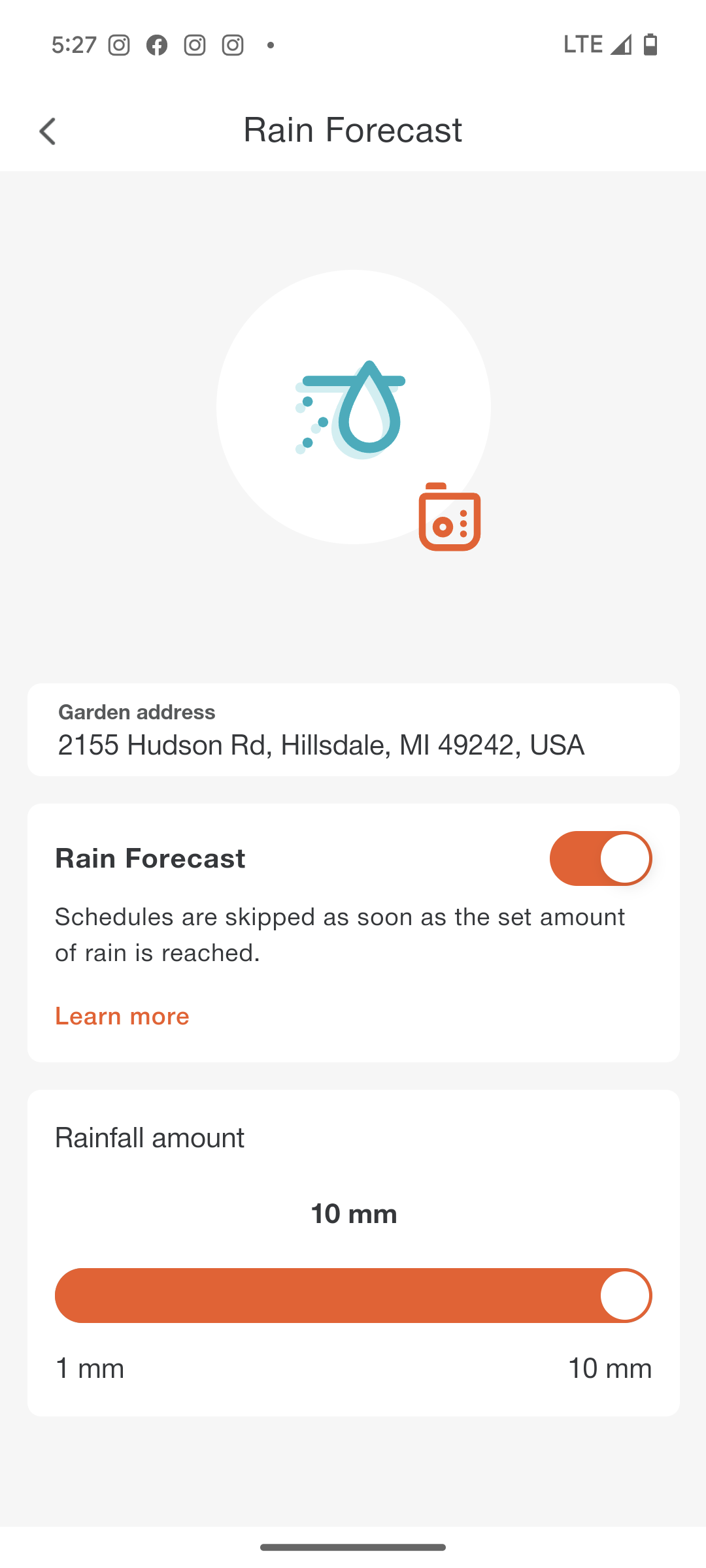
Offers only very limited weather control. The only option is to activate the so-called “rain forecast,” which cancels an irrigation cycle if the weather service predicts at least an 85% probability of 10 mm or more of precipitation within the next 6 hours. You cannot change the time period, nor are past rainfalls taken into account. This puts the Gardena system significantly behind other systems.
Activating the Rain Forecast in the Gardena Smart System
Rain Bird Smart Watering System
Weather control is limited to the “Automatic Seasonal Adjustment” option. If activated, the system automatically adjusts the length of irrigation cycles based on online weather data. However, Rain Bird completely omits the logic behind this adjustment, leaving the user with no customization options and rendering the function extremely limited in its usefulness.
Sensors
This section focuses on how many different sensors the system can manage, what types of sensors are supported, whether both normally open and normally closed sensors can be used, and what options the software offers for working with the sensors. Ideally, the system should also allow the installation of custom sensor types.
Hydrawise performs very well here, but OpenSprinkler takes the lead, leaving nothing to be desired.
Rain Bird Smart Watering System and Orbit B-hyve follow at a considerable distance, although they do allow the use of rain, soil moisture, and water flow sensors, albeit with limitations.
Third place goes to RainPoint and LinkTap, both of which include a standard water flow sensor in most of their models. RainPoint also allows for wireless connection of its own soil moisture sensor, while LinkTap plans to offer this feature soon. LinkTap truly excels when the water flow sensor is the primary focus. LinkTap offers not only extensive options for monitoring irrigation (alarms or automatic shut-off if the water flow is suspicious), but also, uniquely among providers, advanced flow monitoring. This allows you to monitor devices connected to the irrigation controller that only release water temporarily.
Finally, there’s the Gardena Smart System, which only allows the use of its own soil moisture sensor and does not support a water flow sensor.
In detail:
OpenSprinkler
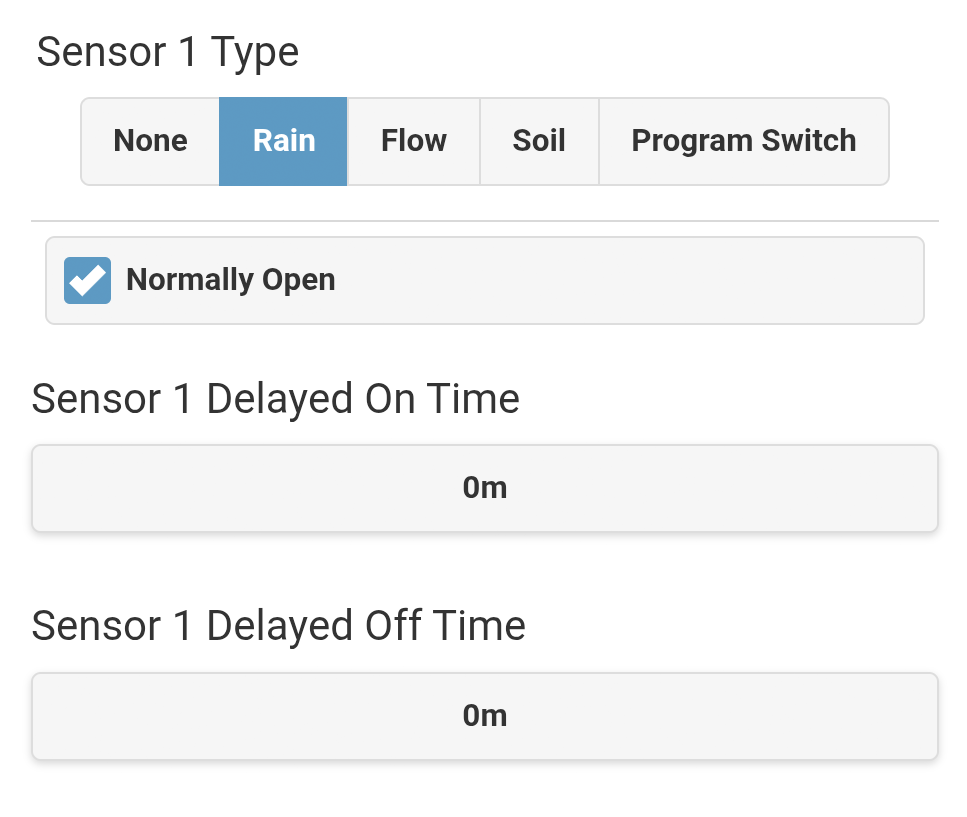
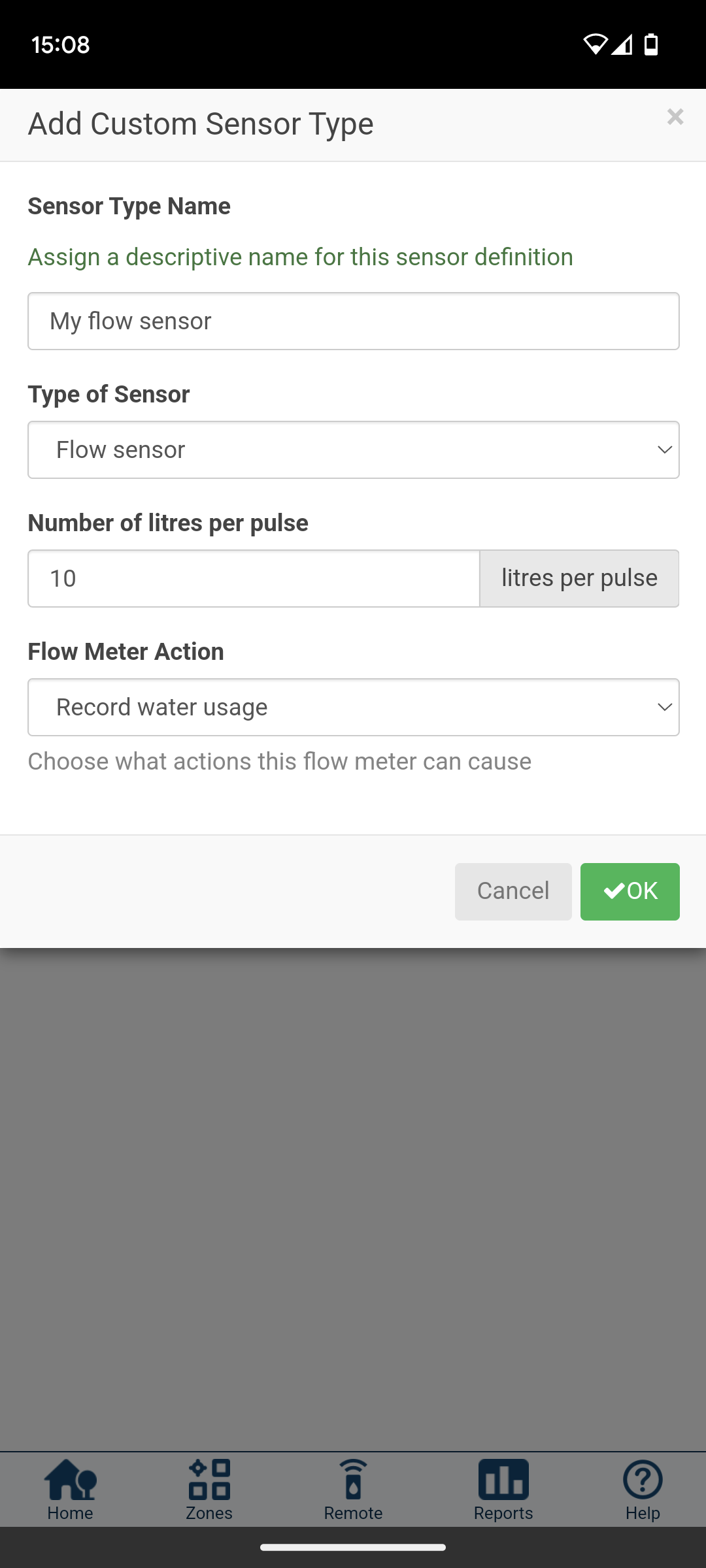
Enables the management of two sensors. The sensor type is freely selectable; rain and soil moisture sensors, as well as flow sensors, are all possible. You also have the option of using either normally open or normally closed sensors, meaning you can use virtually any sensor available on the market. Custom sensor types can also be configured, allowing you to connect, for example, a program switch or other devices. You can define separately for each zone whether it should be affected by none, one, or both sensors, and optionally set an on/off delay for each sensor.
OpenSprinkler is unique in that it is not limited to digital sensors. With an additional analog sensor board, it also allows the use of analog sensors—sensors that can report precise values instead of just pulses.
Configuring a rain sensor in the OpenSprinkler software
Hydrawise
The sensor settings in Hydrawise are not quite as extensive, but still offer many options:
2 sensors
Both normally open and normally closed
Custom sensor types can be configured
Flow sensor can be used
Decision can be made per zone whether the sensor should be used
Custom flow sensor configuration can be set up in the Hydrawise software
Rain Bird Smart Watering System
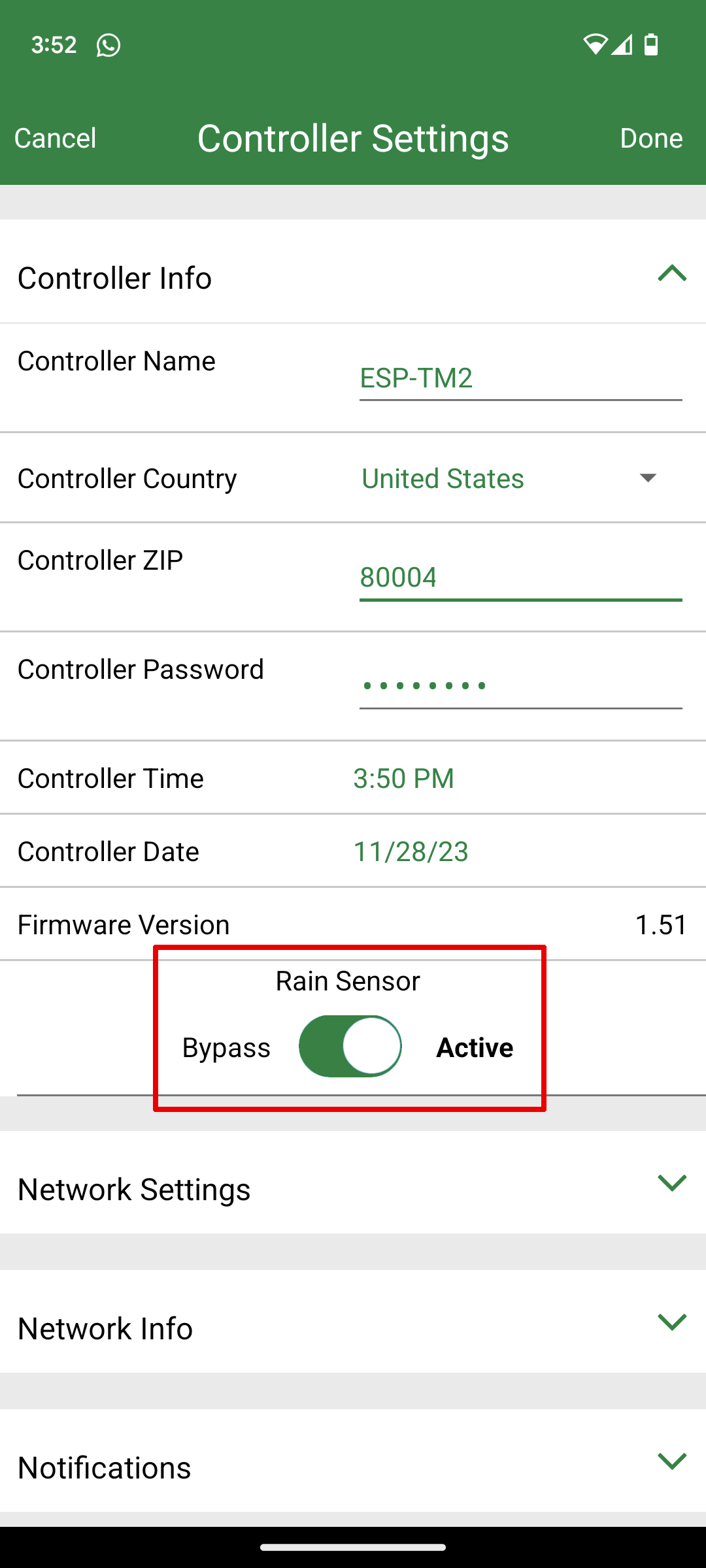
With Rain Bird, the exact functionality depends on the product purchased. In any case, a rain sensor can be activated, and with newer models, a flow sensor can also be activated. Only normally closed sensors can be used. The sensors cannot be switched on or off separately for each zone, but only at the device level.
Activation of the rain sensor in the Rain Bird software at the device level
B-hyve
The sensor functionality with Orbit also depends on the product purchased. Either a connection for a rain sensor is available or it is not. If a sensor connection is available, only normally closed sensors can be used. The Orbit B-hyve Hose Timer has a built-in water flow sensor. All other Orbit computers don’t have a built-in hardware connection for a water flow sensor, but the software allows for wireless connection to a Flume water flow sensor.
RainPoint Home
A very positive feature is the water flow sensor included in almost all models. A soil moisture sensor can also be connected wirelessly, but you are limited to the soil moisture sensor offered by RainPoint. Be careful here, as RainPoint offers different sensors that are not compatible with every RainPoint computer model. Unfortunately, the water flow sensor’s functionality is quite limited due to the software’s restrictions. With RainPoint, it’s essentially only used to display water consumption or to allow watering by volume rather than duration. Important monitoring functions that would be possible with the water flow sensor are missing.
LinkTap
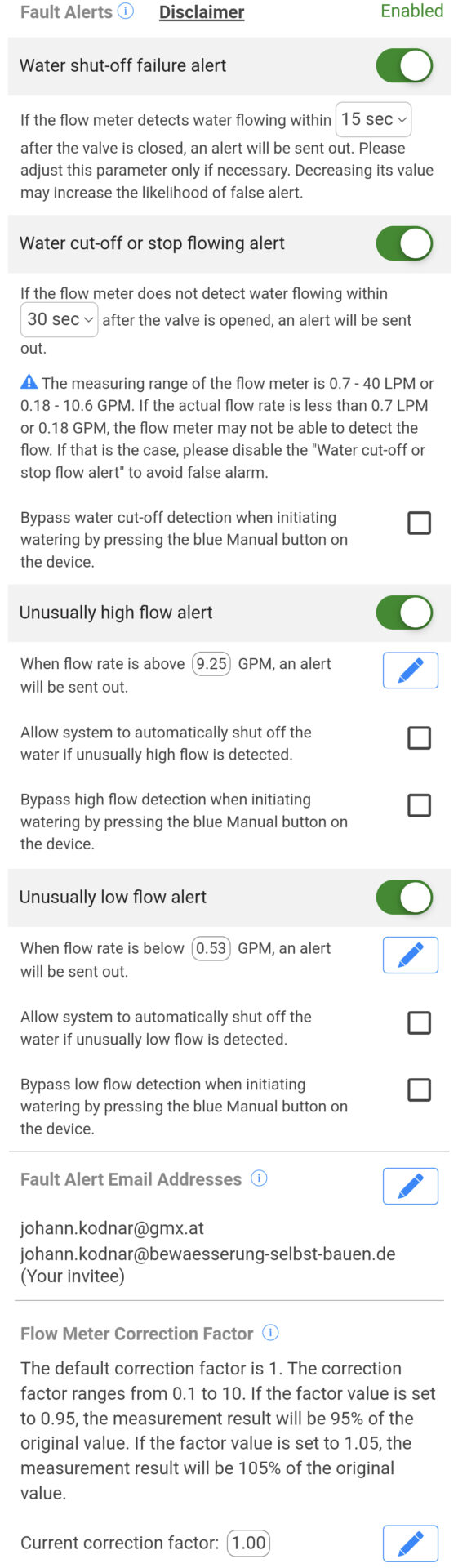
Offers a comprehensive water flow sensor experience, surpassing all other providers:
An alarm can be set to sound if water continues to flow after the valve is closed.
An alarm can be triggered if no water flow is detected after the valve is opened.
An alarm can be triggered, or the valve can be closed, if the water flow is unusually high.
An alarm can be triggered, or the valve can be closed, if the water flow is unusually low.
Following the June 2025 update, LinkTap adds even more functionality with Advanced Flow Monitoring. This is a powerful feature, suitable for applications beyond traditional garden irrigation. For example, it can be used to refill water in a pool or pond, automatic animal waterers, monitor household water consumption, or control sprinklers activated by motion sensors.
In these applications, the water doesn’t flow continuously during an irrigation cycle, but only intermittently. LinkTap offers additional rules to ensure that the water flow remains within the desired limits.
The reason LinkTap isn’t ranked higher among sensors, despite this unique feature, is simply that no other sensor connection is available on the computer. According to the manufacturer, however, a soil moisture sensor will soon be connectable wirelessly. This would significantly improve LinkTap’s position in the sensor rankings.
Gardena Smart System
Only the proprietary Gardena Smart Sensor can be used. Using a water flow sensor is not possible. There are very few sensor settings available.
Faucet control/external solenoid valve control?
This section addresses which type of irrigation controller the system is designed for. There are two main types available on the market:
Irrigation controllers for controlling external solenoid valves
Faucet control irrigation controllers
The first type, “external solenoid valve control,” is more professional. It doesn’t come into direct contact with the water itself, but rather controls external solenoid valves, which are typically housed in a solenoid valve box. For many home applications, however, the second type, “faucet control,” is sufficient. This type can be attached directly to the faucet, and the water flows directly through it.
Some of the six systems compared are available for both types of controllers, while others are available only for one, meaning that the might not be suitable for your intended use. Here’s an overview:
Gardena Smart System – For both types of irrigation controllers (Gardena Smart Water Control, Gardena Smart Irrigation Control)
Hunter Hydrawise – Exclusively for external solenoid valve control (a handful of different controller models to choose from)
Opensprinkler – Exclusively for external solenoid valve control (only 1 controller)
Orbit B-hyve – For both types of irrigation controllers (several models to choose from for both)
Rain Bird Smart Watering System – Exclusively for external solenoid valve control (a handful of controller models to choose from)
LinkTap – For both types of irrigation controllers (4 tap control models and 1 external solenoid valve control model to choose from)
RainPoint – For both types of irrigation controllers (a variety of tap control models to choose from: orange, white, and green model series; one external solenoid valve control irrigation controller: RainPoint HIC801W)
Alerts
This section deals with warning messages that are automatically sent to you by the system when certain events occur. This can be practical and convenient, but above all, it helps you detect problems as quickly as possible. The ability to send alerts in case of unusually high or low water consumption is particularly important, allowing you to identify problems before damage occurs. Some systems only offer push notifications directly to your mobile phone, while others also offer email notifications.
In this area, LinkTap is my top choice, as it allows you to set up to 13 different alerts. Hunter Hydrawise and Rain Bird Smart Watering System follow, both of which also offer a large number of alerts and include alerts that work in conjunction with the water flow meter.
RainPoint’s alert functionality is also quite powerful. You can create various automation rules and link each one to an automatic notification as needed. Unfortunately, there are still too few triggers to choose from, and the interface is very technical, which could overwhelm some users.
Significantly behind the previously mentioned systems are Orbit B-hyve, which only offers four different alerts, and Opensprinkler, which offers more alerts but requires the use of an external service. At the very bottom of the list is the Gardena Smart System, which offers no alerts other than technical error messages.
LinkTap
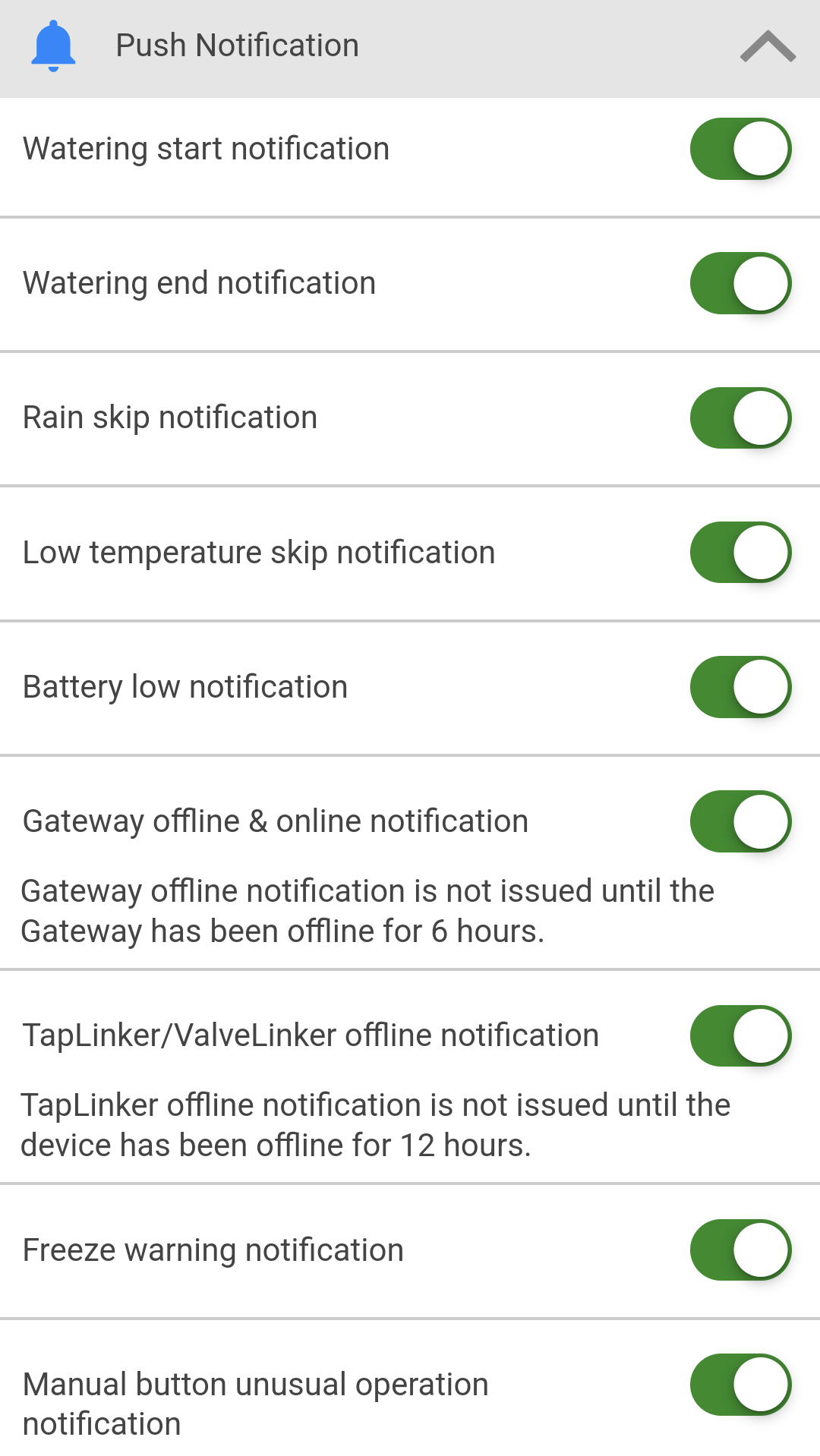
Enables up to 13 different alerts, with water flow alerts being particularly important in practice. These can be precisely customized to your needs (see screenshot).
Start of an irrigation cycle
End of an irrigation cycle
Skipping an irrigation cycle due to the rain suppression function
Irrigation controller not receiving water during the irrigation cycle
Irrigation controller did not open correctly at the start of irrigation
Irrigation controller did not close correctly after the irrigation cycle
Water flow is above a predefined value
Water flow is below a predefined value
Irrigation controller has been dropped
Gateway is offline
Irrigation controller is offline
Battery level is below a certain value
Frost alert
LinkTap Alerts
When an alarm occurs, LinkTap sends both a push notification to your mobile phone and a warning email to the email address registered in your account. And optionally, you can have this email sent to two additional email addresses.
Hydrawise
Offers up to 9 notifications: 4 general notifications, 4 when using a water flow sensor, and 1 when using a rain or soil moisture sensor. The alerts for increased or decreased water consumption are very cleverly implemented, allowing a comparison with the consumption of the previous watering cycle. The alerts are sent as push notifications to your mobile phone. Sending them via SMS is also possible for an additional fee (Hydrawise Enthusiast Plan).
Example of a Hydrawise alert for decreased or increased water consumption
Rain Bird Smart Watering System
In this respect, Rain Bird is virtually equivalent to Hunter. By default, the following eight notifications are offered:
Irrigation cycle completed
Seasonal adjustment applied
Irrigation delayed by x days
Frost risk
Short circuit in the solenoid coil of a connected valve
Local access to the irrigation controller (AP/Hotspot mode) occurred
An incorrect date/time appears to be stored on the irrigation controller
Restart of the WiFi module or loss of power in the irrigation controller
If a water flow sensor is used, the following two additional notifications are also available:
Unnaturally high flow rate
Unnaturally low flow rate
The notifications are displayed as push notifications on your mobile phone.
RainPoint Home
Here, the alerts are not a separate menu item but are integrated into the automation menu. In this menu, you can define triggers, such as the occurrence of certain weather conditions and the actions to be taken based on them. This can include switching off the controller or pausing an irrigation program, as well as sending a notification.
When sending notifications, you can choose between a push notification on your mobile phone and an email notification. Triggers include the five weather conditions mentioned above, as well as the remaining battery power of the computer, the operating status of the irrigation controller (off, normal irrigation running, interval irrigation running), a valve failure, and a water shortage.
B-hyve
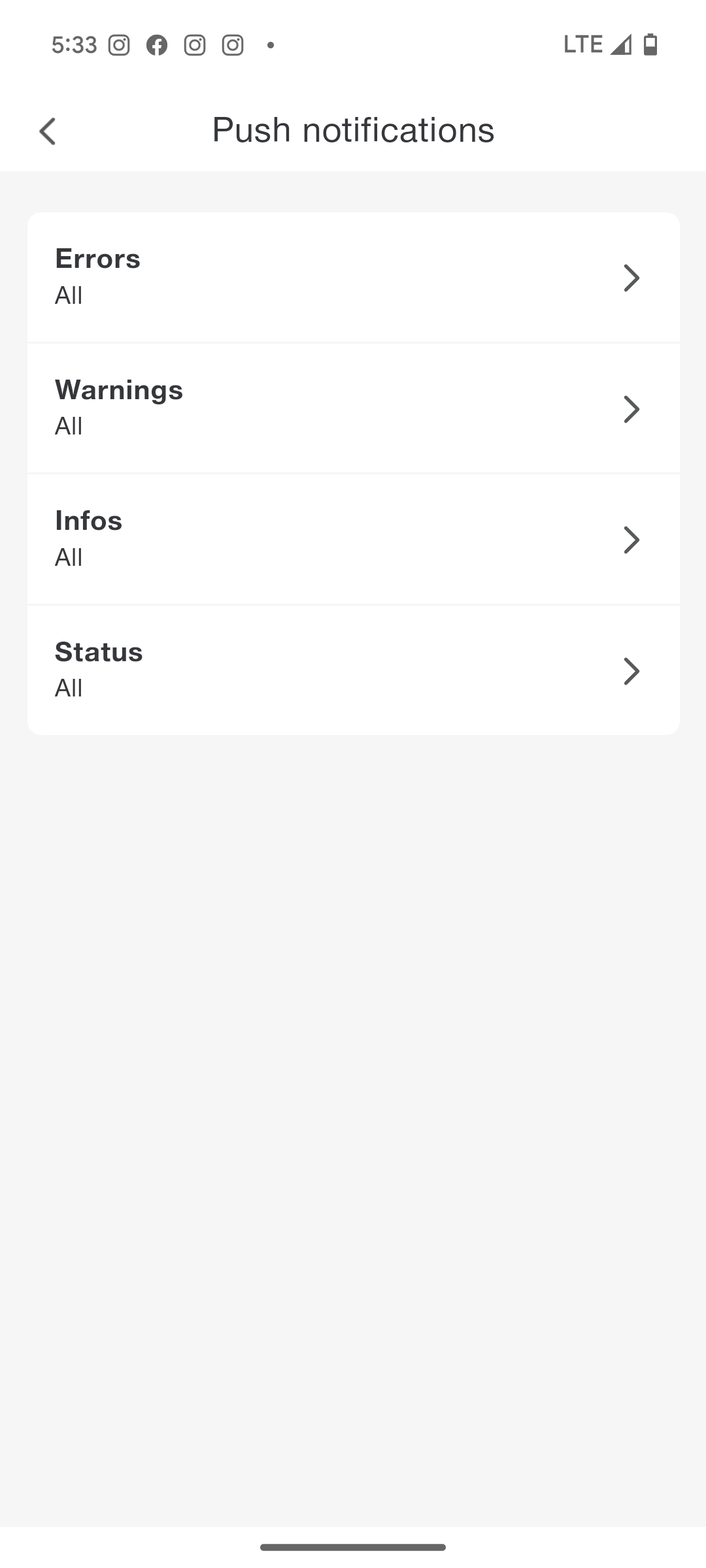
Six events can be notified. Notifications for excessive or insufficient water consumption are not possible. The alerts are displayed as push notifications on your mobile phone.
The six possible alerts in Orbit B-hyve
Opensprinkler
In principle, it allows notifications for seven different events, but only via the MQTT protocol. This requires the use of an external MQTT service, which must then be configured in the software. The messages are sent to the MQTT broker’s server and forwarded from there to the user. For the average user who has no prior experience with MQTT, this is a somewhat cumbersome process.
Gardena Smart System
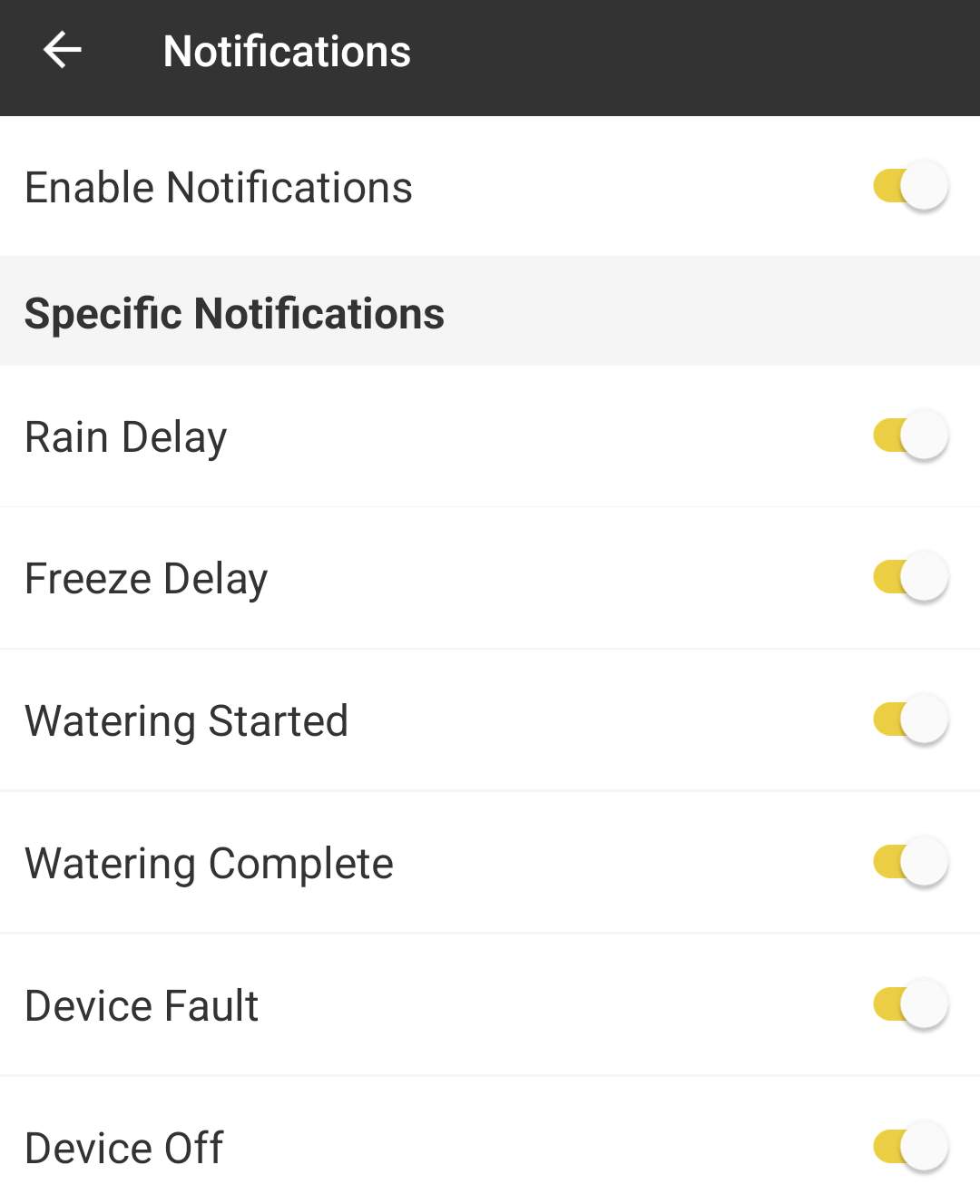
The alert function is limited to reporting errors occurring on the computer, gateway, or sensor. In such cases, the user receives a push notification on their mobile phone. These can be deactivated in the push notification menu if needed.
Extensive menu with limited functionality in Gardena
Guest Access/Access for Additional Users
Some systems allow you to set up access for additional users or guest accounts, for example, to grant a neighbor who’s checking on your garden while you’re on vacation access to the irrigation control system. Or, if a gardening service is looking after your garden, to grant them access. This access can be restricted or full, and sometimes time-limited.
Hydrawise and Orbit B-hyve are my top choices in this regard. Both allow you to create guest accounts and grant full or restricted access. Rain Bird Smart Watering System comes in a close second, also allowing guest access, but without access levels. This shortcoming isn’t remedied by the additional feature of time-limited access.
LinkTap is in fourth place, also offering guest access without access levels. RainPoint Home follows, also offering guest access, but it’s a bit more complicated than with the other systems. At the bottom of the list are OpenSprinkler and Gardena, which do not offer guest access.
Hydrawise
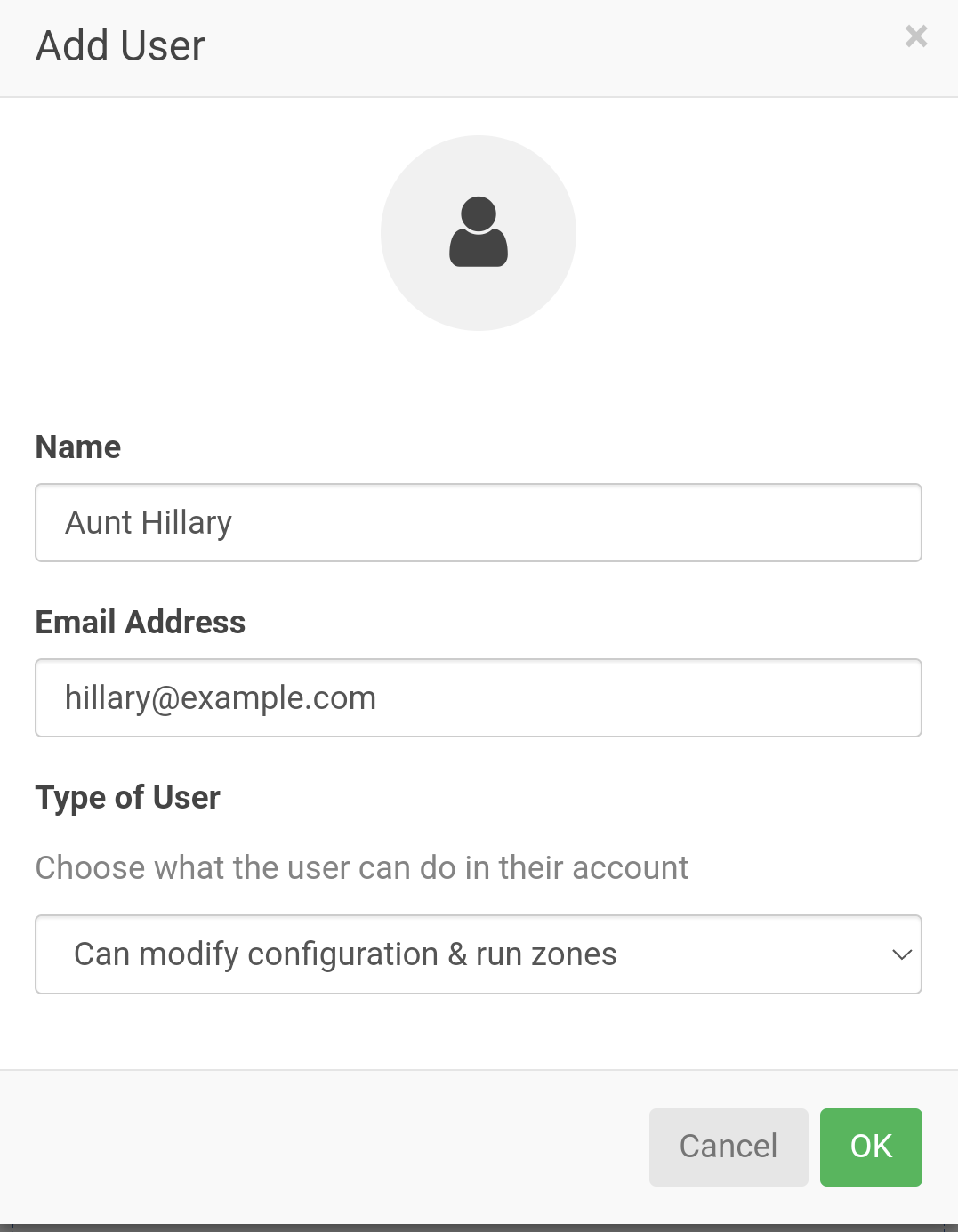
Access can be granted to additional users by entering their name and email address. This can be either limited access, allowing manual execution of watering cycles and viewing of settings, or full access, which allows changes to settings. The latter carries the risk of accidental changes.
Hydrawise: Adding another person
B-hyve
Access codes can be created for manager access (extensive rights) or guest access (limited to basic functions) and shared with other users. These codes allow users to log into the system.
Rain Bird Smart Watering System
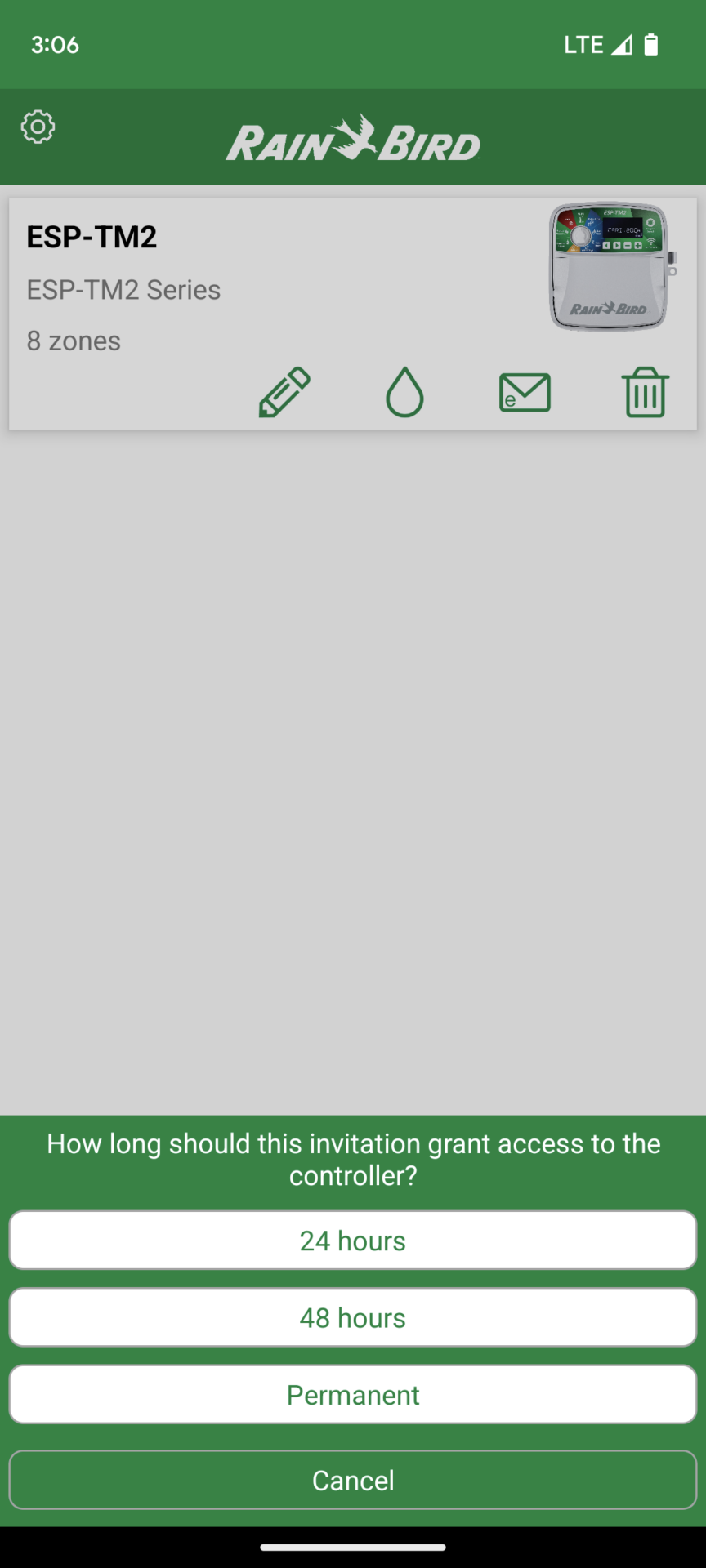
Additional users can be invited from within the system via email, WhatsApp, Messages, and other services. Access can be granted for a limited time of 24 or 48 hours, or indefinitely. Different permission levels are not supported.
Inviting another user to Rain Bird
LinkTap
Guest access can be set up. No different permission levels are available.
RainPoint Home
RainPoint also allows you to grant other people access to the app. However, it’s a bit more complicated than with other providers. The person must first register with RainPoint. Only registered users can then be invited in the app.
OpenSprinkler
Currently does not offer guest access.
Gardena Smart System
Currently does not offer guest access.
Programming Mode
While certainly not the most important point, it’s worth mentioning that these systems offer two basic programming modes: one where you create entire programs that then irrigate predefined zones for a set time (“Program Mode”) and the other where there’s no overarching program, but rather you define how each zone should be irrigated (“Zone Mode”). Program Mode is the predominant mode in professional irrigation systems, while newcomers to the field usually find Zone Mode a bit easier to use initially.
Since both modes generally accomplish the same tasks and you quickly become familiar with their operation after a short familiarization period, I would rate this point very low. Below is an overview of how each system works:
Gardena Smart System: Zone mode
Hydrawise: Choice of program or zone mode
Opensprinkler: Program mode
LinkTap: Zone mode
Rain Bird Smart Watering System: Program mode
Orbit B-hyve: Program mode
RainPoint: Zone mode
Creating program templates
Hydrawise and B-hyve allow you to save pre-planned programs as templates, which you can then use when creating a new program. This function is not available with the other systems.
Irrigation history
All seven providers include a history of past irrigation cycles, although Gardena’s is very limited compared to the other five. RainPoint Home also only provides very basic information.
Monthly adjustments
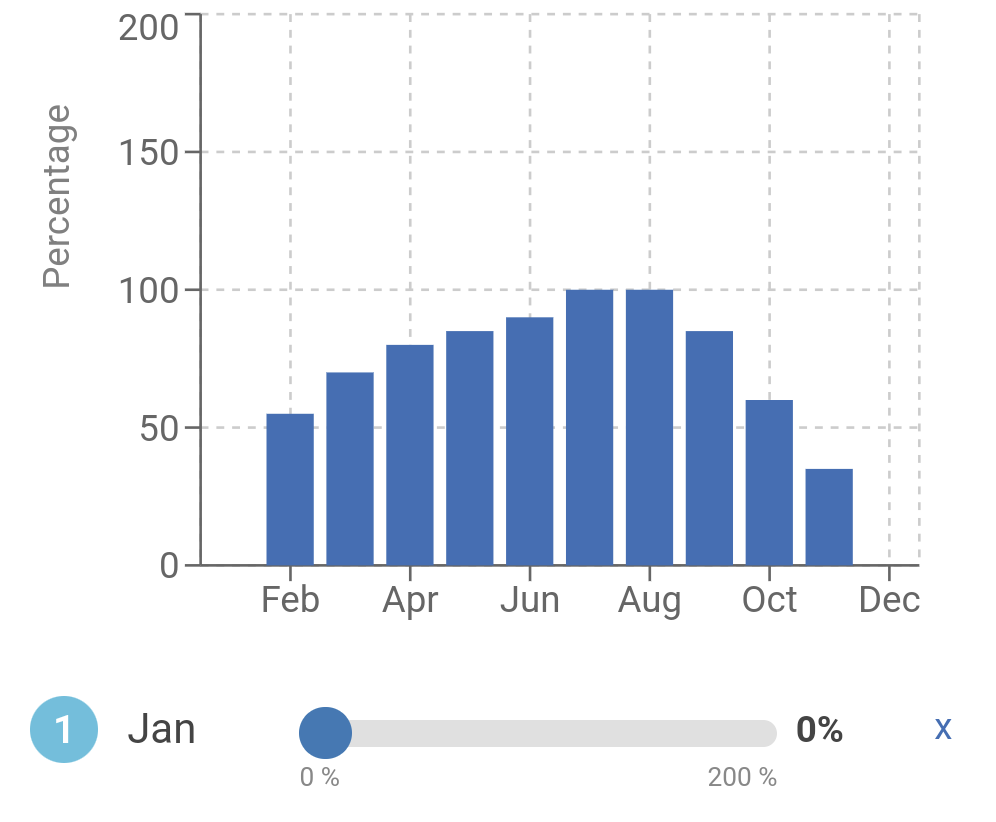
The garden’s water requirements are not constant throughout the year, but change. Some systems take this into account by allowing you to set an adjustment factor. For example, if you plan your irrigation program for the hottest month of the year, you can set an adjustment factor of 80% for less hot months, so that irrigation only occurs for 80% of the time during those months.
Only Hydrawise and OpenSprinkler offer this option in its entirety. Rain Bird, LinkTap, and B-hyve do not allow you to predefine monthly adjustments; instead, you can only manually reduce or increase the runtime of existing irrigation programs to a specific percentage as needed. Gardena and RainPoint do not offer this option at all.
Monthly adjustment using Hydrawise as an example
Cycle and Soak
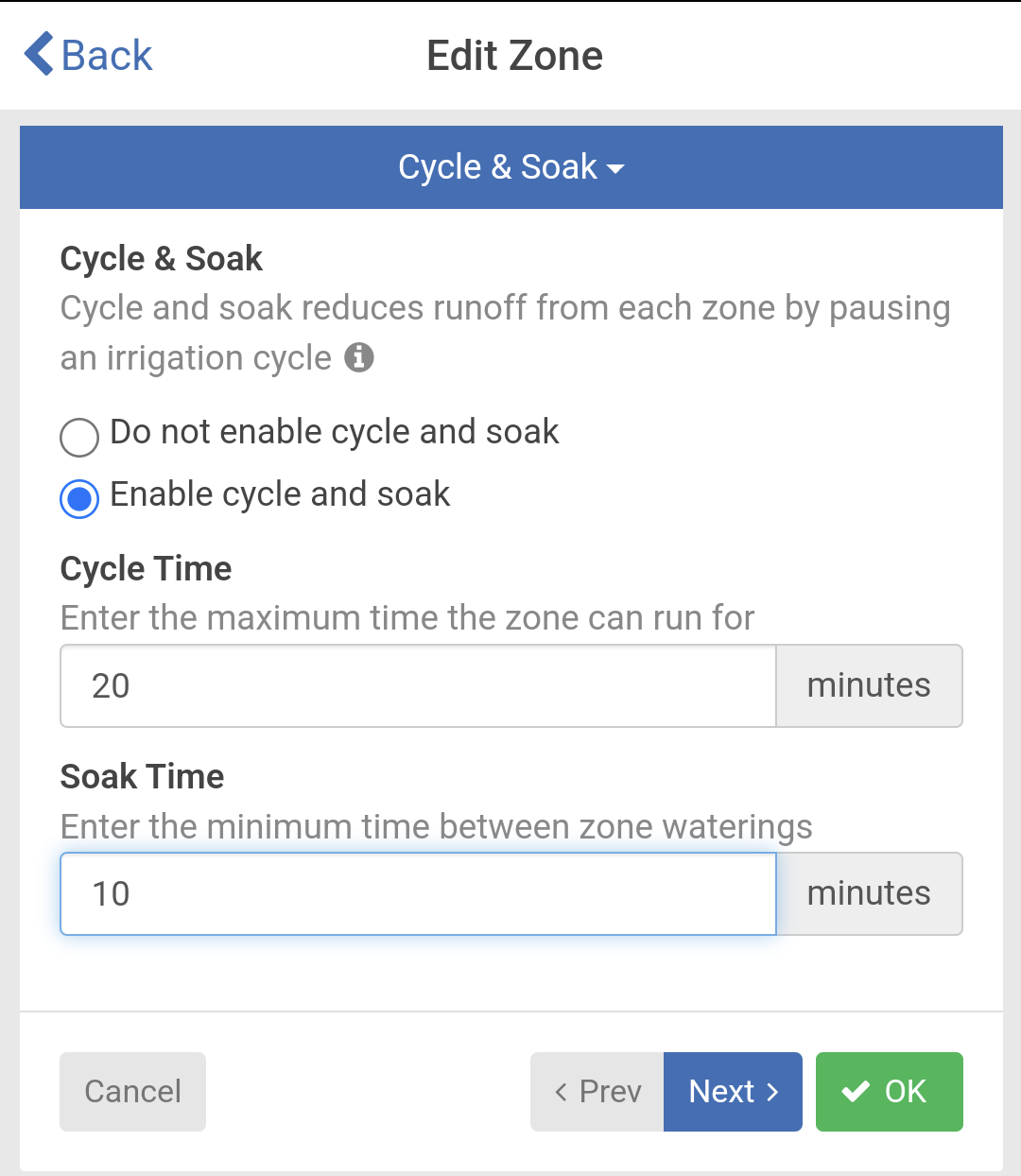
This option allows you to extend the duration of an irrigation cycle by dividing it into watering and pause phases. This is recommended for clay soils that have difficulty absorbing water quickly, or when irrigating sloping terrain.
This option is always included with Hydrawise, LinkTap, and RainPoint, while with Rain Bird it is only available with one of the more expensive computer models. B-hyve automatically divides the cycle into cycle and infiltration phases as needed, but this option is not available for manually created programs. Gardena and OpenSprinkler do not offer this option.
Setting Cycle and Soak Phases using Hydrawise as an example
Additional access via web browser?
All seven systems offer an app for Android and Apple iOS phones. However, only some of them also allow access via a desktop computer or laptop using a web browser. This can be advantageous during a more extensive initial setup, which might be easier on a larger computer. Gardena Smart System, Hydrawise, OpenSprinkler, LinkTap, and Orbit offer additional access via a browser, while Rain Bird and RainPoint only allow access via an app.
Independence from external servers/Sharing of personal data
This point is brief: With the exception of OpenSprinkler, all other providers require a one-time, free online registration to use the service, and the devices are then controlled via this external server. This involves transferring data to third parties and carries the theoretical risk that the service could be discontinued, making remote access to the irrigation controller impossible. Only OpenSprinkler offers users the alternative of using their own server.
Extending the software independently
This is also only possible with the open-source solution OpenSprinkler. There, you can extend the software with your own code or with ready-made code snippets from third parties, thus incorporating solutions for very specific requirements.
Frost protection
LinkTap, Hunter Hydrawise, Rain Bird, and RainPoint automatically notify you as soon as a certain temperature threshold is reached, allowing you to winterize the irrigation controller in time.
LinkTap is the only provider to offer additional intelligent frost protection. The system not only notifies you when temperatures drop below freezing but also automatically performs short irrigation cycles to prevent the water in the controller and adjacent pipes from freezing. This works with models D1, T1, Q1, G1S (manufactured from 2023 onwards), and G2S (manufactured from 2023 onwards), which include a temperature sensor.
This function is particularly advantageous during very rapid, unforeseen weather changes. The built-in flushing function gives you valuable extra time to react. Such extreme fluctuations can otherwise destroy tens of thousands of irrigation controllers in one fell swoop.
Intelligent frost protection function in the LinkTap
Costs
The Gardena, RainPoint, and LinkTap systems require an additional gateway, which makes them more expensive. The other providers don’t require a gateway, and Orbit B-hyve offers devices both with and without a gateway.
Hunter Hydrawise
This is the most expensive system. Depending on whether you choose the entry-level HC controller or the Pro-HC with improved hardware, a device with 6 zones costs approximately $250 to $350. As with all systems, the price increases with more zones.
OpenSprinkler
The OpenSprinkler costs around $160. It has 8 zone outputs. Adding more zones to the Opensprinkler system is relatively inexpensive: For $50, you get an additional 16 zones, allowing you to expand to a total of up to 72 zones.
Rain Bird Smart Watering System
Rain Bird’s most affordable computer models, including a WiFi expansion card (LNK module), start at around $220.
Gardena Smart System
The Gardena Smart Water Control or the Gardena Smart Irrigation Control (6 zone outputs) costs approximately $230, including the gateway. If you already own the gateway, for example, because you already use a smart Gardena lawnmower, the price is about $70 lower.
LinkTap
LinkTap’s G2S faucet control irrigation computer is comparatively inexpensive at around $130, including the gateway, compared to the Gardena Smart Water Control. A water meter attachment is available as an optional extra for a mere $25. Less affordable is the LinkTap V1 for controlling external solenoid valves, which costs around $200 including the gateway. This is a comparatively high price for a device with only four zone outputs.
Orbit B-hyve
Offers relatively inexpensive systems for both faucet-controlled irrigation timers and irrigation timers for controlling external solenoid valves: The Orbit B-hyve Smart Faucet Timer, including the required gateway, is available from around $80. It even includes a water flow sensor. The most affordable B-hyve model for controlling external solenoid valves with eight zones starts at around $120.
RainPoint
This Chinese company is currently the most affordable provider on the market, even undercutting Orbit B-hyve with its prices. A smart faucet timer is available from around $80.
Conclusion and Recommendation
The best smart irrigation system currently available is from Hunter Hydrawise. It includes everything you typically need and offers extensive options for weather control and sensor integration. You can also connect your own weather station, but this costs $66 per year. Alternatively, you can use a nearby weather station for free, which should be sufficient for most users. The Hunter Hydrawise system is well-established and proven, and you can be confident that you won’t go wrong with this purchase. The Pro-HC controller also comes with excellent hardware.
Closely following Hydrawise is the LinkTap system. While it doesn’t offer quite the same comprehensive weather control as Hydrawise, its design is very well-conceived and works well in practice. Furthermore, LinkTap offers superior functionality with its water flow sensor and a few features unique to LinkTap, such as intelligent frost protection and the ability to use a faucet controller as a master valve. In addition, LinkTap is currently making the greatest effort of all providers to further develop its software, adding new features every few months. For example, the integration of a soil moisture sensor should soon be possible. A significant advantage is also LinkTap’s robust and stable hardware, which plays a crucial role, especially in irrigation controllers that use taps.
The Orbit B-hyve offers the best value for money. Its weather control capabilities aren’t quite as advanced as Hunter Hydrawise’s, but they are better than most of its competitors. It also includes pretty much everything you could want, and the price is quite low. If you want a decent product with appealing software for a small price, this is a good choice!
The most affordable option for a WiFi irrigation controller is RainPoint. It undercuts Orbit by a few dollars. However, the software could be improved, and the weather control is hardly practical. The basic functionality, though, is adequate. A worthwhile option if your primary concern is the basic function of remotely controlling the irrigation controller and you only want to invest in the bare essentials.
The best choice for tinkerers and tech enthusiasts, or anyone who wants to be independent of an external system or integrate the irrigation controller into a larger smart home solution, is the open-source irrigation controller OpenSprinkler. For around $160, you get not just an irrigation controller, but essentially a smart home control center that can do much more than just irrigation and offers virtually unlimited expansion possibilities. The product is constantly being developed by a large community, so new functionalities are continually being added.
In my opinion, there are few reasons to opt for the smart products from Rain Bird or Gardena. Both lag significantly behind in terms of software and are also not attractively priced. Furthermore, the Rain Bird controllers have the disadvantage that the software is always limited to the functionality of the purchased irrigation controller. For example, if a Rain Bird irrigation controller doesn’t have cycle and soaking phase functionality, then you can’t configure it in the smart software either, even though there’s no logical reason not to. This isn’t the case with other manufacturers.
A Rain Bird irrigation controller would only be worth considering if you don’t currently want a web-connected controller but want to keep that option open for later. In that case, you could buy one of the Rain Bird controllers that is Wi-Fi enabled but doesn’t have this feature built-in and then potentially add the Wi-Fi expansion module (LNK WiFi) later. However, even then, I would recommend the Hunter X2 instead, which also offers the option of later Wi-Fi expansion (Hunter Wand expansion module) but has the significantly better Hydrawise system.
I am an enthusiastic do-it-yourselfer and have been running this blog on the subject of garden irrigation for more than 6 years now. In over 150 specialist articles, I share my own experiences and know-how from years of research and numerous product tests. -> More about me