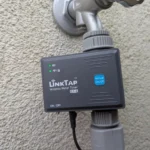
LinkTap specializes primarily in tap-mounted irrigation controllers—controllers that are attached directly to the water source. A look at Amazon reveals that LinkTap controllers have become some of the best-selling WiFi irrigation controllers in this category. Less well-known is the fact that LinkTap also offers a model called ValveLinker, which allows users to control external solenoid valves. In this post, I examine how it stacks up against the competition.
I have previously tested several LinkTap irrigation controllers on this blog. All of them impressed me with their high-quality, robust hardware and software that has seen continuous improvement over the years—bringing LinkTap almost level with the market leader, Hydrawise. Consequently, LinkTap controllers like the G2S (1 outlet) and Q1 (4 outlets) are now my top recommendations for anyone seeking a high-quality, tap-mounted WiFi irrigation controller— the type that screws directly onto the tap and allows water to flow straight through it.
The ValveLinker tested here belongs to a different category of irrigation controller. These controllers do not have a built-in solenoid valve and thus do not come into direct contact with water; instead, they act purely as a control hub for external solenoid valves. Typically, these external valves are housed in a valve box or a wall-mounted bracket. This is the only type of irrigation controller used in professional settings, such as parks, golf courses, and soccer fields.
Compared to tap-mounted controllers, the advantages of this type include minimal pressure loss and the ability to manage a significantly larger number of zones. Furthermore, separating the valves from the controller makes it easy to replace a faulty valve without having to swap out the entire control unit. Due to these advantages, this type is also widely used by private users, especially when the irrigation system exceeds a certain size.
Hardware and Model Variants
The ValveLinker is a battery-operated irrigation controller. Battery-operated controllers designed to switch external solenoid valves—as opposed to mains-powered ones—are the exception rather than the rule in this product category; the vast majority of models on the market require a mains power connection.
This type of controller is primarily suitable for situations where no mains power is available at the irrigation site, or where extending a power line to the required location would be difficult or costly. Examples include cases where the area to be irrigated is far from the house, or where structural constraints make it impossible to route power cables or the control wires connecting the controller to the valves to the desired location.
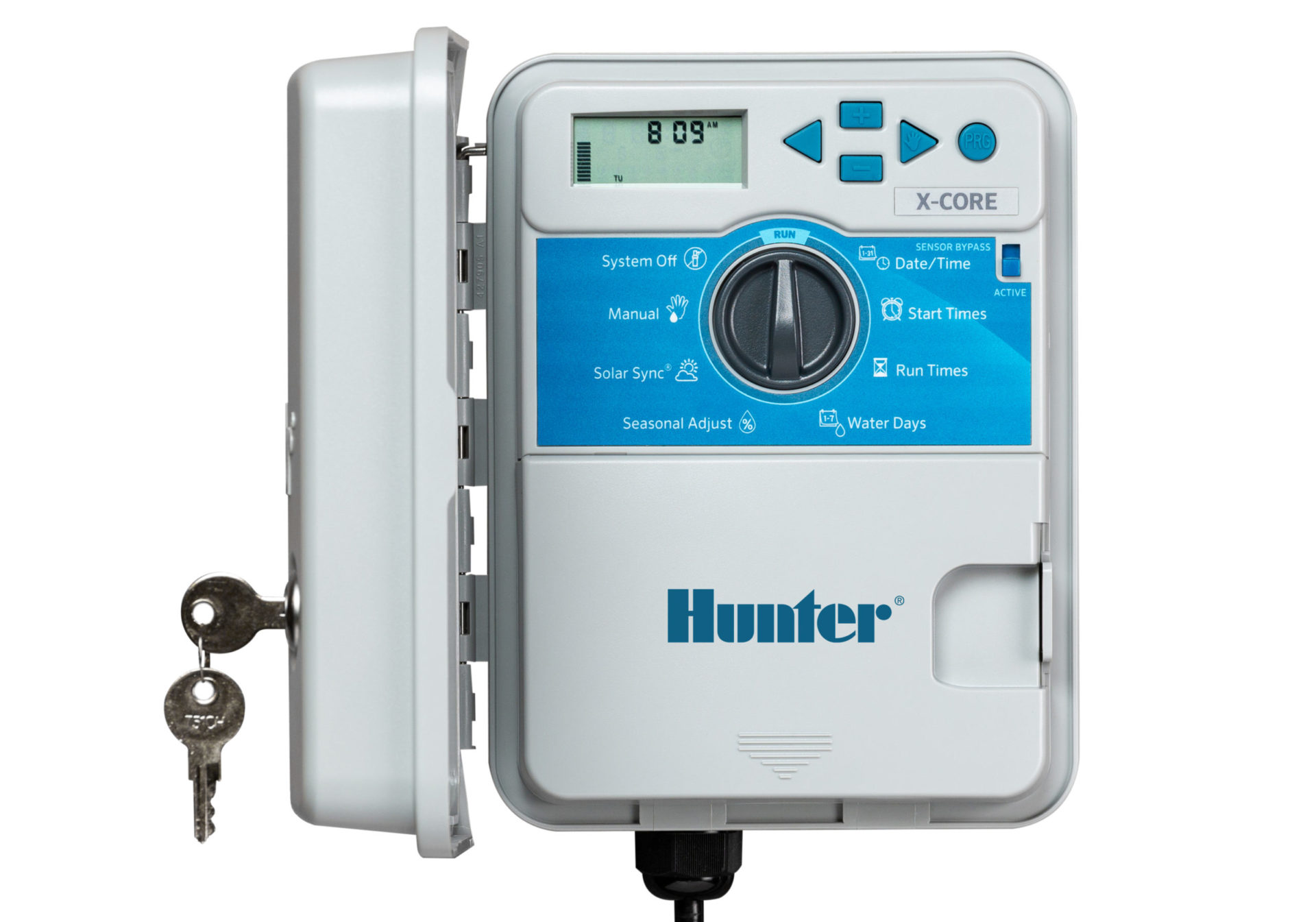
A quick look at the competition: in this segment, Hunter offers the Hunter Node and Hunter XC Hybrid; Rain Bird offers the Rain Bird WP and Rain Bird TBOS BT; Gardena offers the Gardena 9V Bluetooth Control Unit; Orbit offers the Orbit Sprinkler Timer with Valve (57860); and Toro offers the Toro Tempus DC.
Because they run on batteries rather than mains power, all these controllers share a common requirement: they must be used with 9-volt direct current (DC) solenoid valves, rather than the standard 24-volt alternating current (AC) valves.
These controllers are often housed directly inside the valve box alongside the solenoid valves. Two basic types can be distinguished on the market: the first includes controllers that mount directly onto a solenoid valve, such as the Hunter Node, the Gardena 9V Bluetooth Control Unit, or the Orbit Sprinkler Timer with Valve (57860). The second type consists of compact controllers like the ValveLinker; while these cannot be mounted directly onto a valve, their small size allows them to fit easily inside a valve box.
The LinkTap ValveLinker is available in three model variants: for connecting one, two, or four solenoid valves. The different models can be identified by the number of blue control buttons on the device; these allow you to manually start and stop an irrigation cycle with the push of a button.
The ValveLinker model tested here—designed to control four valves—is identical in construction to the control unit used with LinkTap Q1. However, in the case of the Q1, this hardware is used to control the LinkTap 4-outlet valve unit rather than external solenoid valves.
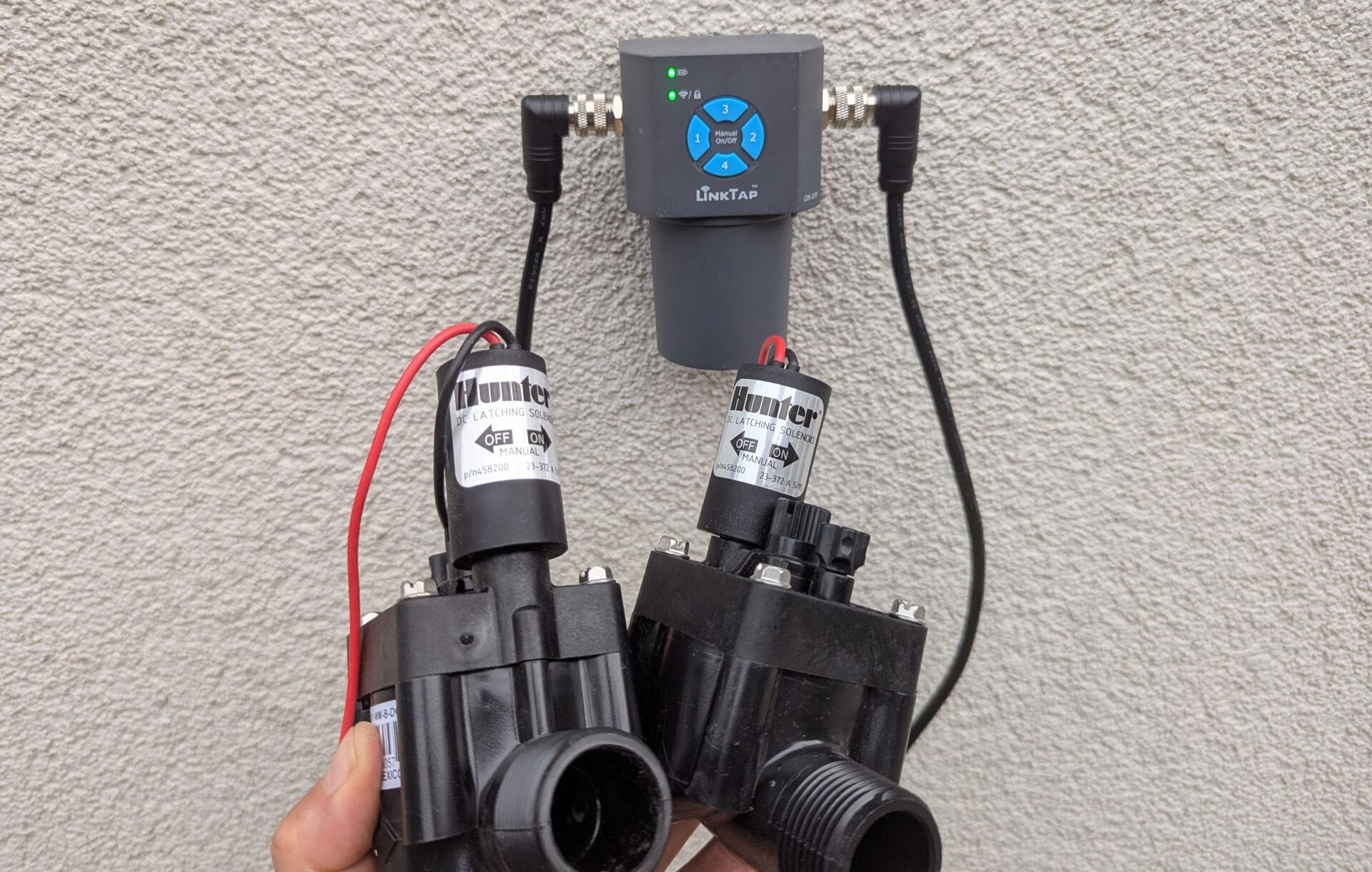
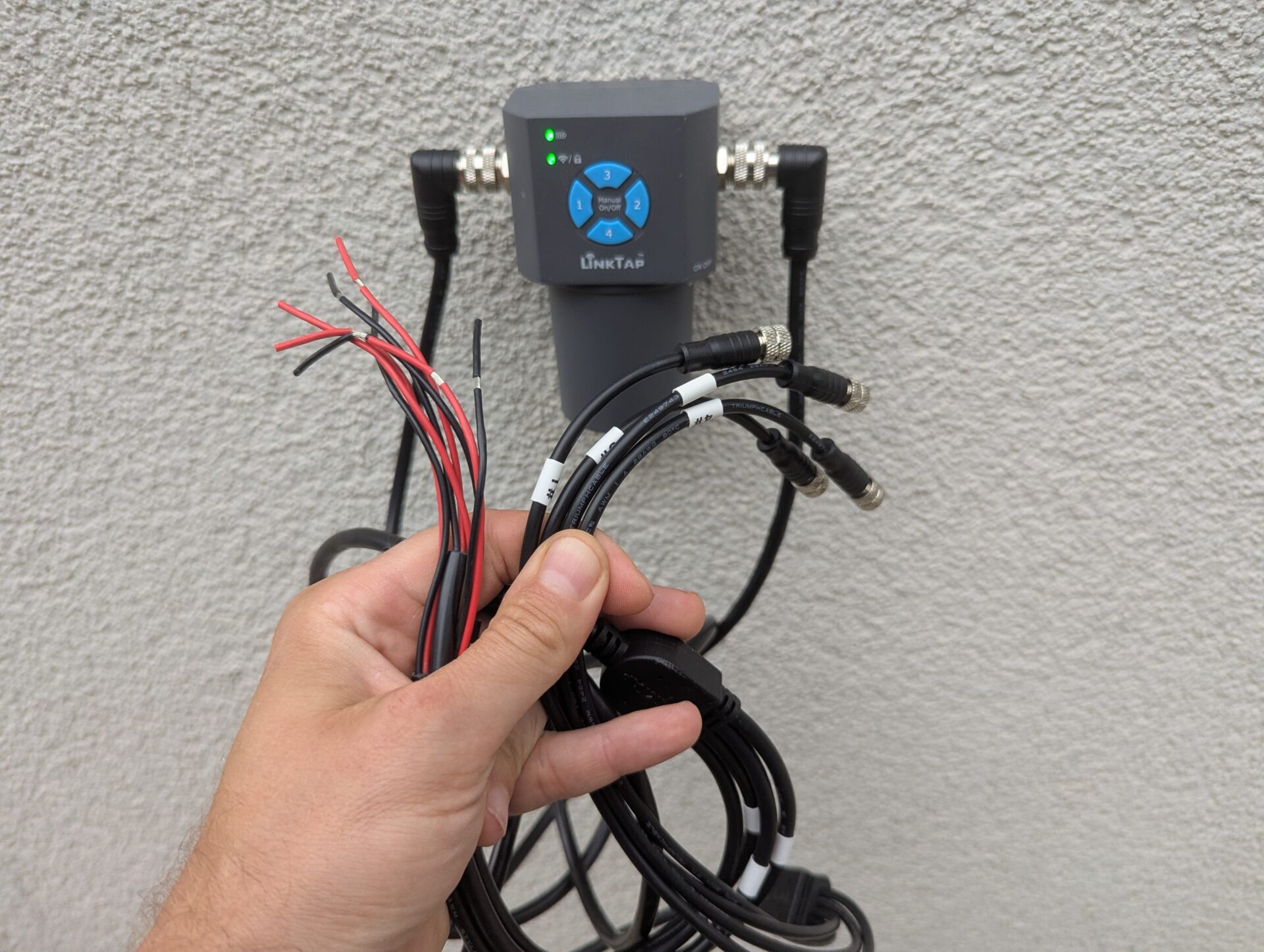
The ValveLinker has two ports: the connection for solenoid valves is on the left, and the connection for water flow sensors is on the right. Depending on the model purchased, you will need the appropriate solenoid valve and water flow sensor cables to connect the respective number of components (1, 2, or 4). The cables then branch out into the required number of individual leads.
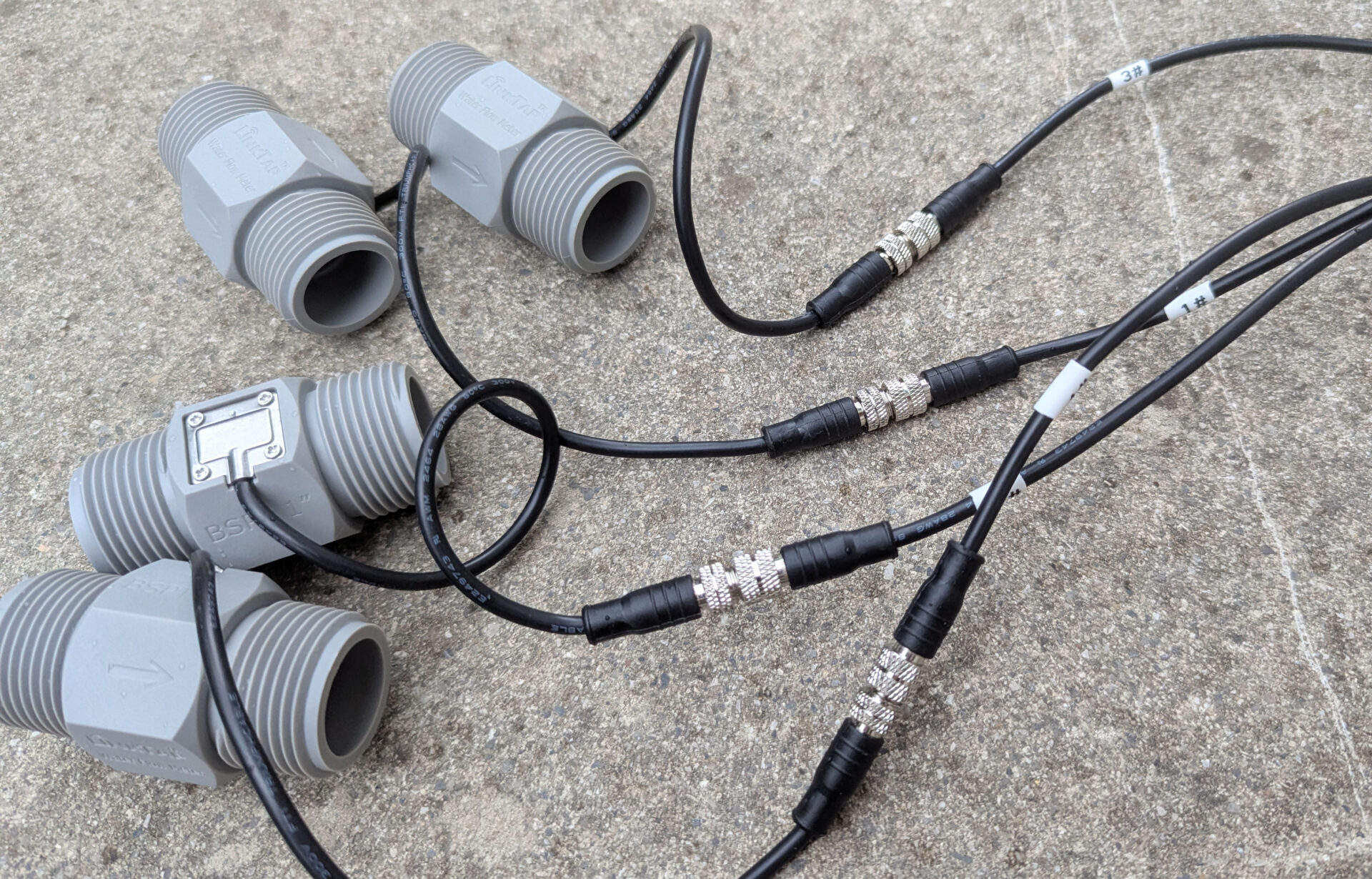
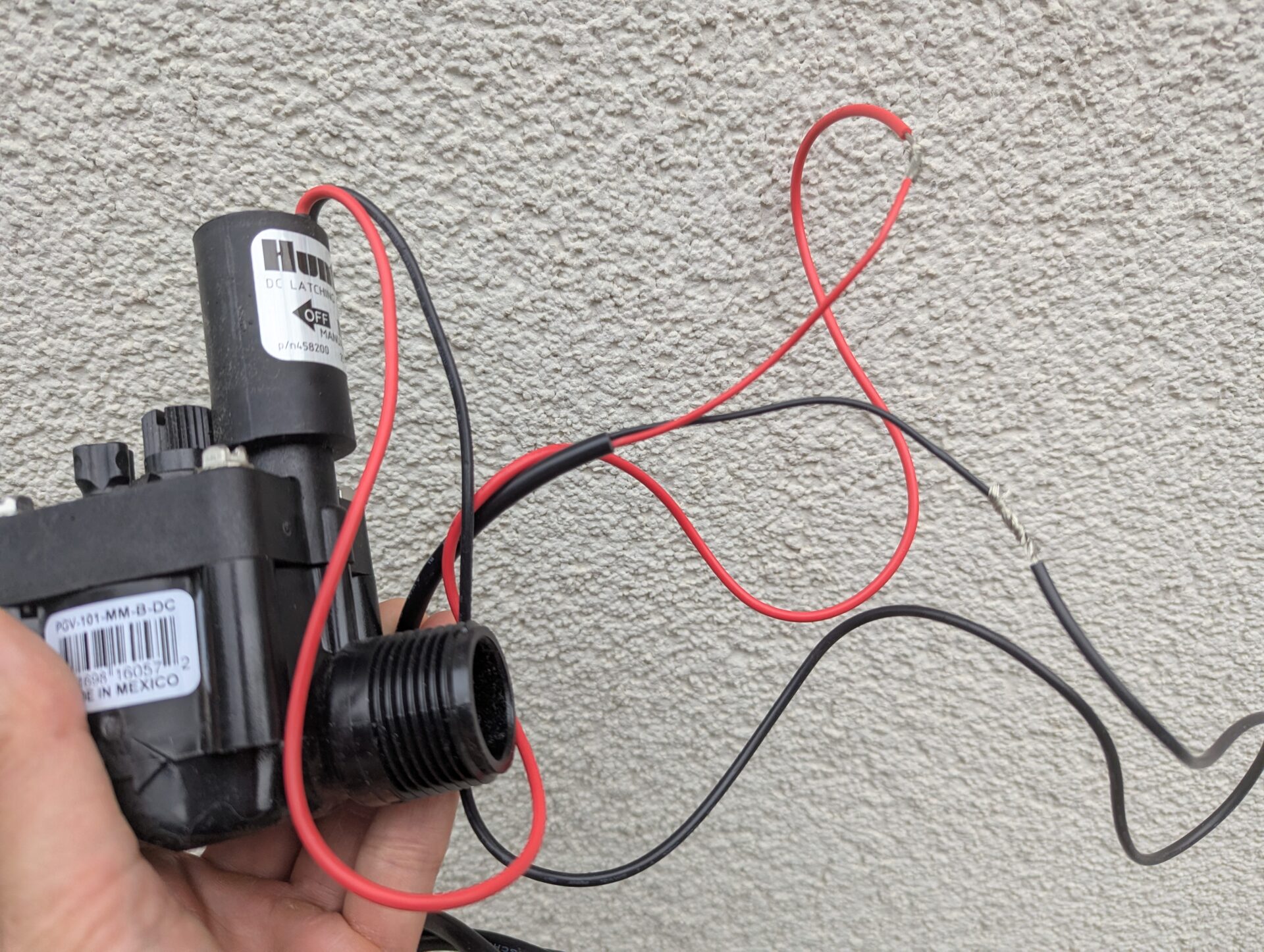
The wiring harness on the left for connecting the solenoid valves terminates in two wires (red and black) each, while the water flow sensor harness on the right ends in plug-in connectors.
In this image, the four water flow sensors are already connected to the cable ends.
And here, a solenoid valve is shown connected to one of the lines as an example.
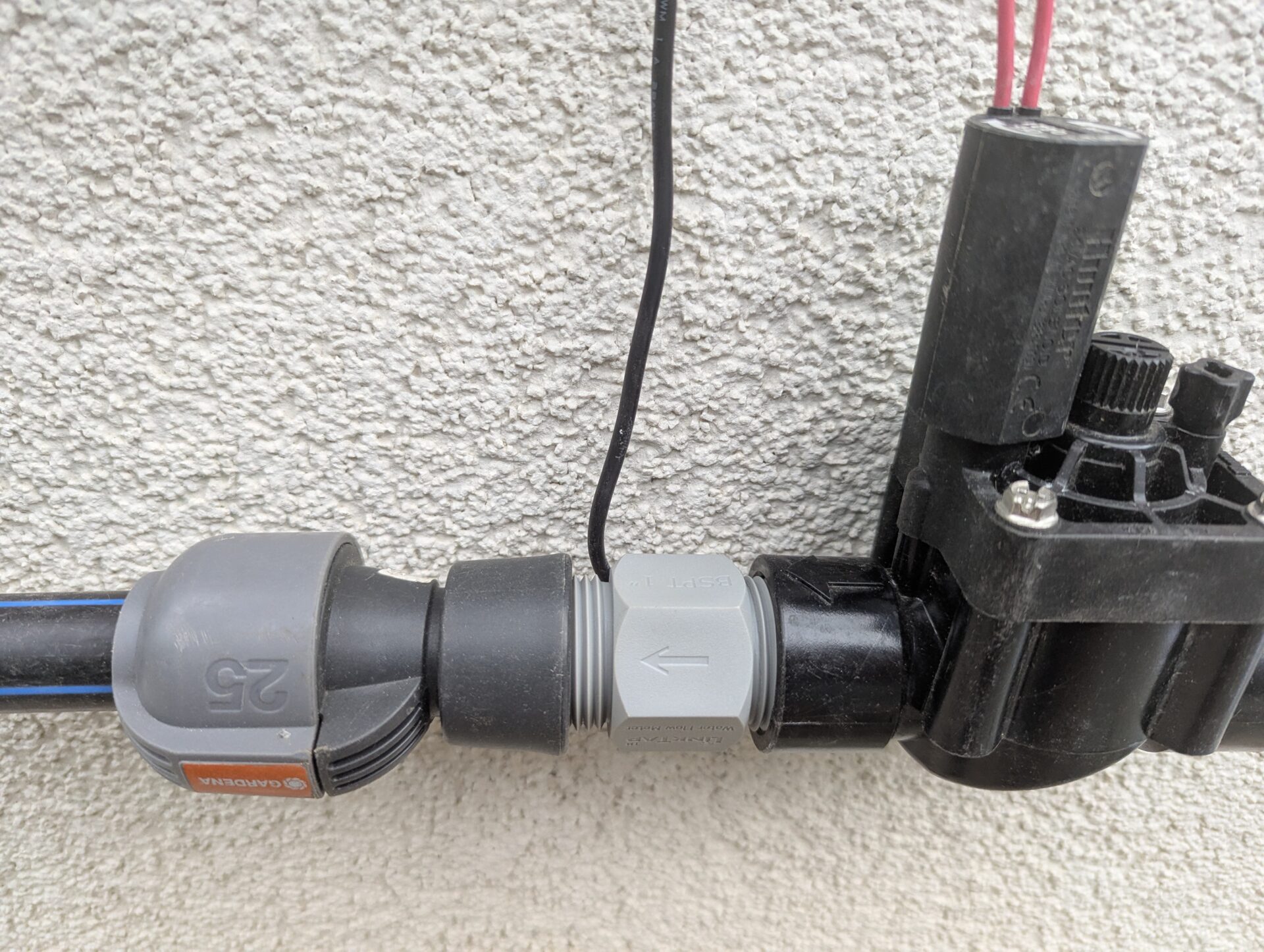
The ability to use the controller in conjunction with water flow sensors is a unique feature of the LinkTap Valve Linker. Battery-operated controllers from competitors do not offer this capability! With the LinkTap Valve Linker, the water flow sensors are installed in the pipeline downstream of the solenoid valves (in the direction of water flow).
This is how the water flow sensor is installed downstream of the solenoid valve.
The water flow sensors must be purchased separately from the computer, though they are available at a relatively low price of around $20 each. Extension cables are also available for the valve and sensor connections should the standard 5 foot (1.5 meter) cables prove insufficient.
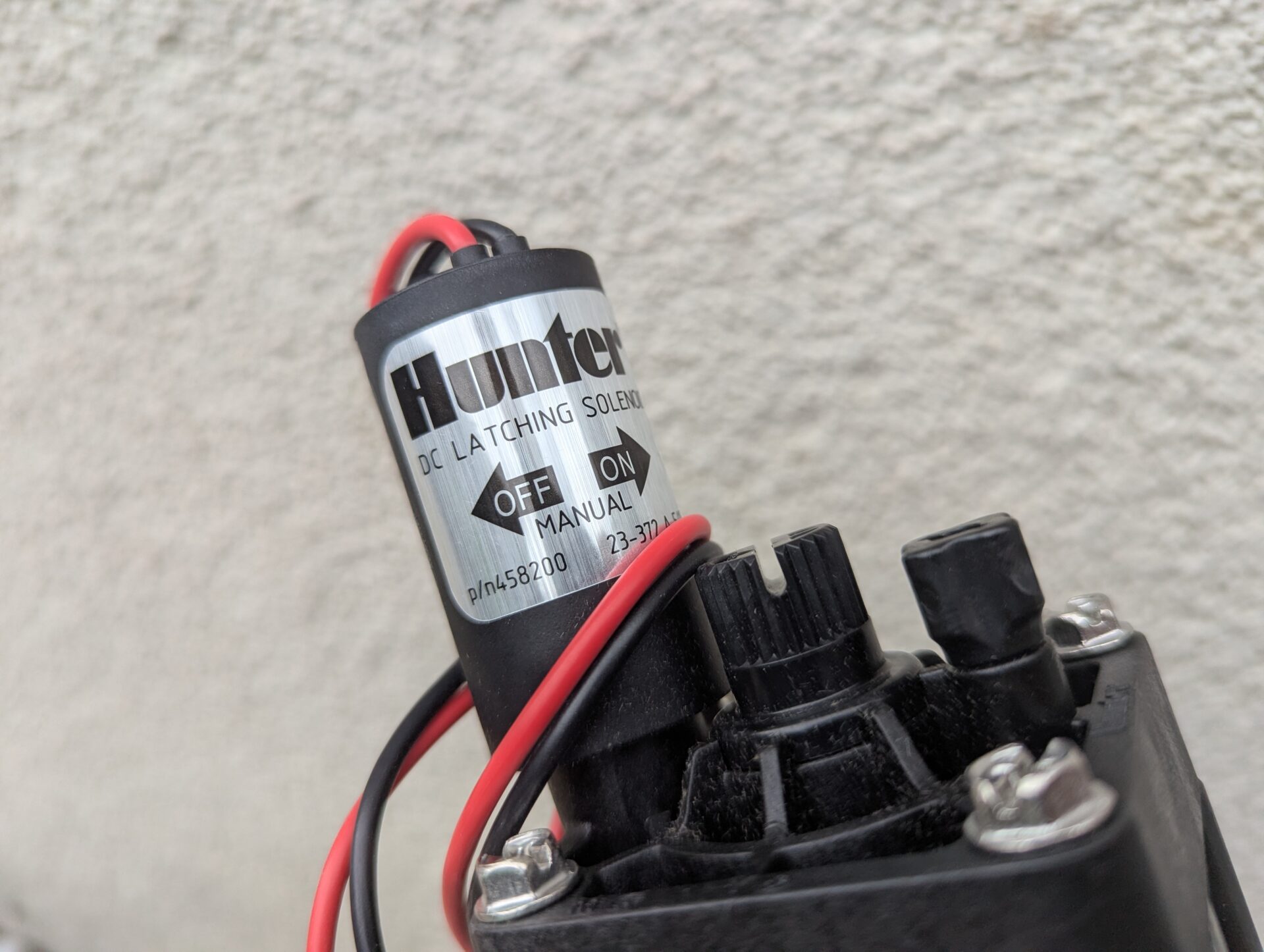
The ValveLinker operates on two 9-volt block batteries. As mentioned earlier, 9-volt direct current (DC) solenoid valves are required. LinkTap does not sell these itself; standard off-the-shelf 9V DC solenoid valves can be used—Hunter PGV 101 DC valves were used for this test.
According to LinkTap, the ValveLinker supports 3- to 12-volt latching DC solenoid valves. Since solenoid valves from different manufacturers can vary slightly in their electrical characteristics, the LinkTap app allows for fine-tuning parameters such as Pulse Width or Charging Duration, making the device compatible with a wide range of valves. LinkTap states that all common DC solenoid valves used in irrigation systems should work with the unit.
A suitable DC valve—often identifiable by the designation “DC,” “Latching,” or “Latch.”
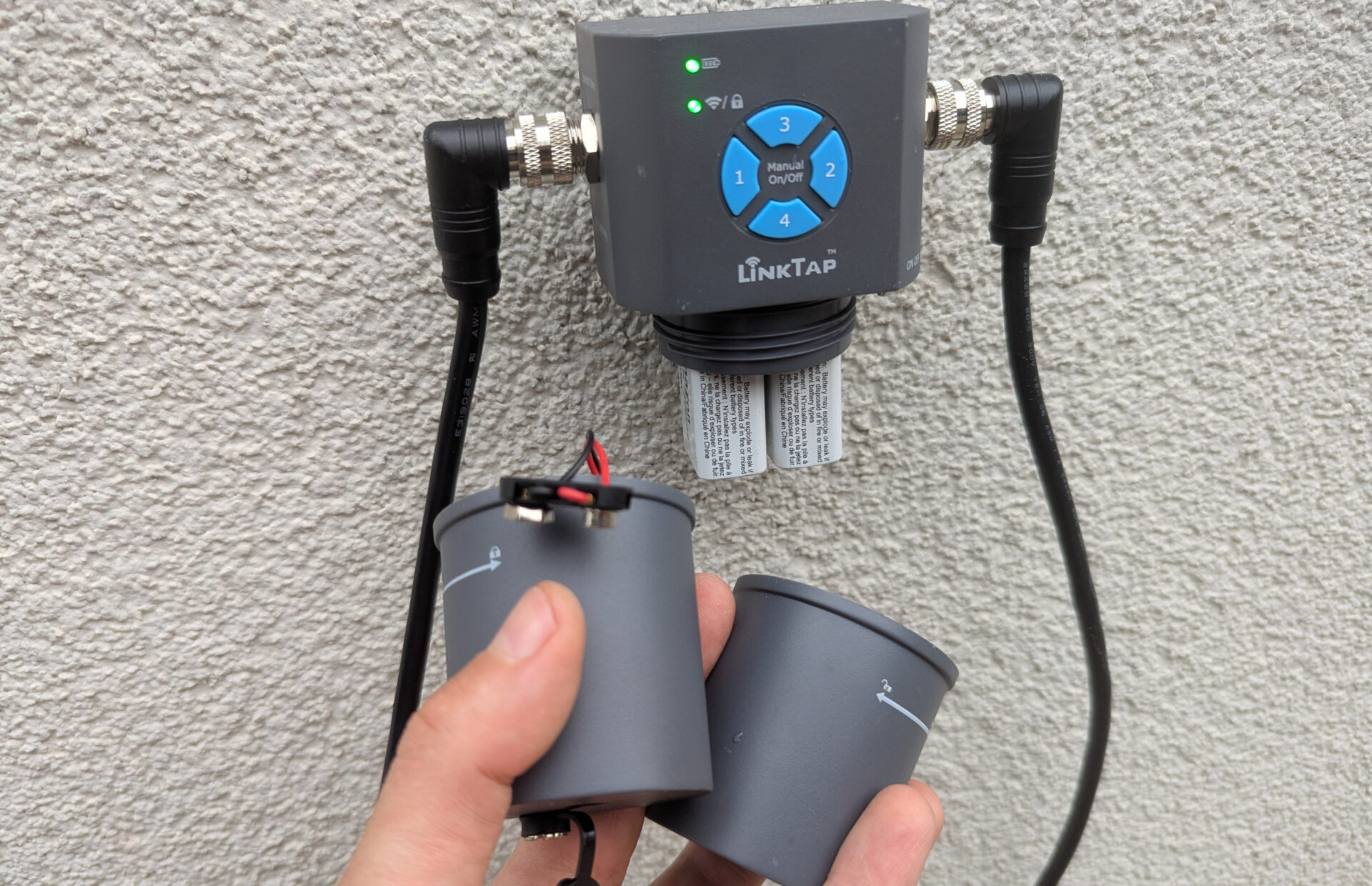
If desired, you can purchase a ValveLinker DC converter to power the unit via a DC power adapter plugged into a wall outlet, or even power it directly using a solar panel. The DC converter is installed by removing the battery compartment and screwing on the converter in its place. Before screwing it on, the converter’s two leads must be connected to the battery terminals inside the device. Note: Even when connecting the unit to the mains instead of using batteries, 9V DC solenoid valves must still be used.
ValveLinker with the battery compartment unscrewed. To the left is the optional DC converter that can be used instead.
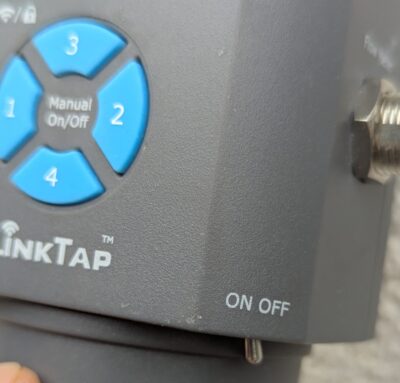
The ability to turn the ValveLinker on or off using a dedicated power switch is another unique feature of LinkTap. This can be handy, for example, during the winter months.
Separate power switch
Web Connectivity/Wireless Connection
The ValveLinker is a smart irrigation controller—meaning a web-enabled device—that can connect to your home Wi-Fi or LAN network. This sets it apart from comparable competitor products, which do not offer web connectivity! Like all LinkTap controllers, the ValveLinker requires an additional gateway to operate. The wireless connection between the gateway and the ValveLinker does not use Wi-Fi (as most irrigation controllers do), but rather the Zigbee protocol, which is more reliable and supports longer ranges.
Installation
As with all LinkTap controllers, the initial setup for the ValveLinker is very simple:
Download the LinkTap app
Connect the gateway to power and set it up in the app
Insert two 9V block batteries into the ValveLinker unit and set it up in the app
I describe the installation process in detail in the post about the LinkTap Q1.
Software
The ValveLinker uses the same software found in all LinkTap irrigation controllers—software I have tested on several occasions. It enables effective web-based control driven by online weather data and impresses with its extensive functionality regarding the water flow sensor. LinkTap’s software is continuously being improved; according to my comprehensive comparison with competitors, it is now hot on the heels of the industry leader, Hydrawise.
As is typical for LinkTap, the build quality of the ValveLinker hardware is impeccable. The irrigation controller works flawlessly right out of the box, and the solenoid valves are switched correctly. While the reliability and longevity of the valves naturally depend on the specific valves chosen, using brand-name products—such as the Hunter PGV 101 DC models used here—ensures there should be no issues in this regard.
The software has become LinkTap’s second major strength. It enables effective weather-based control, and in terms of monitoring and safety features, LinkTap offers more options than any other provider. You can always be confident that irrigation is proceeding as planned; should a leak occur, you are notified immediately and can intervene quickly.
Comparison with Competitors
How does LinkTap stack up against other providers in this category of irrigation controllers? Here, I am deliberately comparing the ValveLinker only with other controllers in the same class—specifically, battery-operated units designed to switch external solenoid valves. These are primarily used when there is no mains power available at the irrigation site, yet one still wishes to use a controller to operate external solenoid valves.
Conversely, if a mains power connection is not an issue, one would almost certainly opt for a mains-powered irrigation controller in practice. There is a much wider range of models available in that category, and they allow for the use of more cost-effective 24-volt AC solenoid valves, which cost roughly half as much as DC valves.
The ValveLinker’s biggest advantage over the competition is that it offers full LinkTap web functionality! None of the competing products offer web connectivity; at best, they provide Bluetooth connectivity. A key advantage is that you can control your irrigation system from anywhere at any time; web connectivity enables automated control based on rainfall and temperature. Additionally, the full range of LinkTap alerts is available, ensuring automatic notifications for issues such as a solenoid valve failing to open or close, or unusually high flow rates. With the ValveLinker, you can utilize the complete feature set of the LinkTap app and conveniently adjust all settings via your smartphone.
Furthermore, the ValveLinker is the only controller in this category that supports the connection of a water flow sensor—the component that enables the monitoring functions described earlier in the review.
In terms of price, the ValveLinker setup tested here—designed to control four solenoid valves and including flow sensors and a gateway—comes to approximately $265. Excluding the flow sensors reduces the cost by about $70, bringing the total to $195. The single-zone model with a gateway costs $145 euros, while the two-zone model costs $165.
If you only need a controller for a single zone and can make do with very limited functionality—foregoing web connectivity and water flow sensors—the Gardena 9V Bluetooth controller is by far the most economical choice at just $40. However, if you need a device for four zones, the ValveLinker is priced comparably to (or only slightly above) competing products, despite offering a significantly wider range of features; essentially, you get far more functionality for the same price. The LinkTap ValveLinker is available from retailers like Amazon, though—as is the case with all LinkTap products—ordering directly from the LinkTap online shop offers the best price. You can use the following 5% discount code when placing your order.
All in all, LinkTap currently offers the highest-quality product in this category, featuring excellent software—which, in my view, is already the second-best web-based solution on the market, trailing only Hunter Hydrawise. It also delivers the high hardware quality typical of LinkTap, standing out further because competing products—with the exception of the Gardena 9V control unit—are already showing their age.
If you are looking for a smart controller with web connectivity, the ValveLinker is actually the only alternative in this segment. The same applies if you wish to use a water flow sensor. It is also a great choice if you need to replace one of the aforementioned competing products and are leaning towards a more modern solution.
I am an enthusiastic do-it-yourselfer and have been running this blog on the subject of garden irrigation for more than 6 years now. In over 150 specialist articles, I share my own experiences and know-how from years of research and numerous product tests. -> More about me